By Eric Andrew Kristof, RN, CAHIMS | Healthcare IT Professional | HIMSS Arkansas Chapter Member
About This Series: The HIMSS Word of The Day is a running blog series drawing from the HIMSS Dictionary of Health Information and Technology Terms, Acronyms, and Organizations, 6th Edition (2025) — the authoritative reference for healthcare IT professionals and the primary study resource for CAHIMS and CPHIMS certification. Each post paraphrases the term in plain language, grounds it in real-world healthcare IT context, and adds a bedside nursing perspective you won’t find in a textbook.
📖 The Term: USB (Universal Serial Bus)
Source: HIMSS Dictionary of Health Information and Technology Terms, Acronyms, and Organizations, 6th Edition (2025)
🔍 Plain-Language Definition
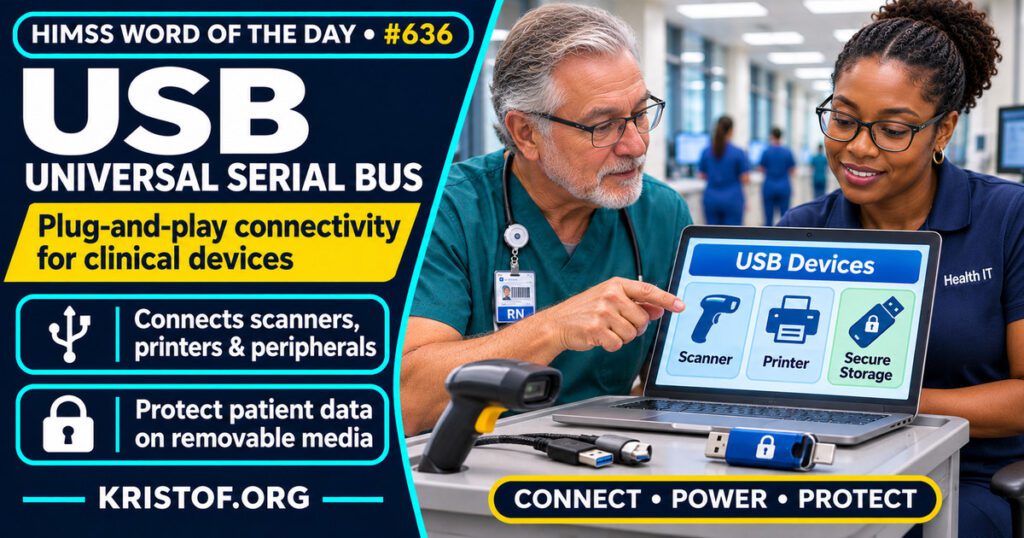
The HIMSS Dictionary describes USB as a plug-and-play connection between a computer and add-on devices such as keyboards, printers, cameras, and media players. A USB connection can also supply electrical power, and it lets the operating system detect and set up a new device without a restart.
That description covers the interface. In everyday conversation, “a USB” or “a USB drive” often means a small flash storage device that plugs into the port, and that is the use that matters most for data protection. The two meanings are linked, because the same port that makes peripherals easy to add also makes it easy to copy data in or out.
| Meaning | What it is | Why health IT teams care |
|---|---|---|
| USB interface | The connection standard between a computer and a device | Peripherals work without special setup |
| Power connection | The port can also supply electrical power | Devices can be charged or powered from the port |
| USB storage | A portable drive plugged into the port | Data can leave a controlled system easily |
The table is a simplified summary of the dictionary entry plus the common everyday meaning.
⚠️ Exam Alert: The USB interface is the connection standard, and a USB flash drive is one device that uses it. Plug-and-play means the operating system finds and configures the device automatically. Removable media is the wider category that includes USB drives, external hard drives, and optical discs.
🌐 Why It Matters: Real-World Healthcare IT Context
USB matters in healthcare for two reasons that pull in opposite directions. It keeps clinical workstations flexible, because peripherals connect easily. It also gives staff a quick way to copy files, which makes a lost or stolen drive a breach risk.
What HHS says. HHS’s HIPAA Security Rule page lists a Device and Media Controls standard under Physical Safeguards. According to the page, it covers policies for the final disposition of electronic protected health information and the hardware or media that hold it, and procedures for removing ePHI from media before they are reused. The page does not address accountability or backup under that standard, and it places backup planning under the Contingency Plan.
A federal enforcement example. In November 2019, HHS announced that the University of Rochester Medical Center agreed to pay $3 million to settle potential HIPAA violations. The resolution agreement says the medical center reported in May 2013 that an unencrypted flash drive containing ePHI had been lost in February 2013, and reported in January 2017 that an unencrypted personal laptop of a resident surgeon had been stolen from a treatment facility. HHS found that the stolen laptop led to an impermissible disclosure of ePHI of 43 patients. It also found failures in risk analysis, risk-reducing security measures, governance of hardware and electronic media, and encryption. The settlement covers more than the flash drive, and the agreement text I read does not describe the number of patients affected by the drive.
What NIST says. NIST Special Publication 1334, published in September 2025, offers cybersecurity considerations for portable storage media in operational technology environments, and it names USB flash drives, external hard drives, and optical drives. It is written for industrial and operational technology settings and not for hospitals, so it is a source of ideas and not a healthcare requirement. Its lists include:
- Procedural controls such as authorizing media, banning use unless approved, logging use, and training staff
- Physical controls such as locked storage, inventory, and labeling of approved media
- Technical controls such as disabling unneeded ports, allowlisting, scanning media before and after use, disabling Autorun, encrypting stored data, and alerting on insertion
- Transport and disposal controls such as encrypting or locking devices during transport and sanitizing before disposal
What a study shows. Wright and Sittig (2007) reviewed two small USB-based personal health record devices that advertised password protection and encryption. They found that the user’s password could be recovered with minimal effort, and that the devices encrypted the database with a common password set by the manufacturer. The authors outlined three critical flaws and four guidelines for improving similar devices. It is a small, old study of two consumer devices and may not describe today’s products. It does show that a device labeled “encrypted” still needs to be checked.
What I could not find. I did not find a current healthcare-specific count of breaches caused by USB devices, and I did not find peer-reviewed studies of USB drive incidents in hospitals. I also could not open CISA’s USB safety tip page in this session, so I did not cite it.
Common USB problems:
- Unencrypted drives holding patient information
- Unknown drives plugged into clinical or office computers
- Ports left enabled when no device needs them
- No inventory or log of approved drives
- Drives reused or discarded without sanitization
- Personal drives used for work files
What supports safer USB use:
- Encryption on any approved portable storage
- Authorization and inventory for approved media
- Disabled ports or device controls on systems that do not need them
- Scanning of media and Autorun disabled
- Sanitization before reuse or disposal
- Staff training and a clear place to turn in found devices
🏥 The Nurse’s Perspective: Clinical, Bedside, & Workflow
Nurses use USB-connected peripherals without thinking about the connection until something fails.
At the Bedside
A keyboard, printer, scanner, or signature pad that stops working on a workstation often comes down to a port, a cable, or a device that needs to be reconnected. Staff learn quick fixes, and the safe ones are those approved by the local IT team. Patient information should not be copied to a personal drive, and an unknown drive found on a unit is a matter for IT or security, not for plugging in.
In Clinical Workflow
Nurse leaders and informaticists see the tension. Staff want fast ways to share files, and policy requires approved, protected channels. Clear alternatives, such as secure shared folders, reduce the pull toward personal drives.
In EHR Implementation (Go-Live Perspective)
During an Epic Go-Live, many early issues involve peripherals: a scanner that does not read, a printer that is not mapped, a badge reader that needs a driver. At-the-elbow analysts log these quickly because a device that fails at the bedside slows care. This post does not claim that any specific go-live had a USB problem. It shows why peripheral and port testing, and device control rules, belong in readiness work.
🎓 CAHIMS / CPHIMS & HIMSS Perspective
CAHIMS Exam Domain Mapping
USB links hardware, security, and compliance:
| CAHIMS Domain | How USB Appears |
|---|---|
| Healthcare & Technology Environments | HIPAA Security Rule requirements and breach enforcement |
| Clinical Informatics | Peripherals that capture and print clinical information at the point of care |
| Healthcare Information & Systems Management | Port control, device management, encryption, and media sanitization |
| Management & Leadership | Policies for portable media, training, and incident response |
Key Terms to Know Alongside USB
- Encryption — converting data into a form unreadable without the right key
- Sanitization — removing data from media so it cannot be recovered
- Mobile Device Management — tools for managing and securing portable devices
- Medical Device Interface — a connection that moves data between a medical device and an information system
- Identity and Access Management — controls that decide who can use which systems and data
- Peripheral device — hardware connected to a computer to add a function
HIMSS Organizational Position
HIMSS offers education and research on health information and technology topics through its Resource Center. Members can find related information on the HIMSS Resource Center page.
🧭 More HIMSS Word of The Day Terms
Related terms in the IT Infrastructure series:
Browse all IT Infrastructure terms or the A–Z glossary.
🔗 Explore Further: External References
- HHS — HIPAA Security Rule: Laws and Regulations (Device and Media Controls) https://www.hhs.gov/hipaa/for-professionals/security/laws-regulations/index.html
- HHS — Failure to Encrypt Mobile Devices Leads to $3 Million HIPAA Settlement (University of Rochester Medical Center) https://www.hhs.gov/hipaa/for-professionals/compliance-enforcement/agreements/urmc/index.html
- HHS — University of Rochester Medical Center Resolution Agreement and Corrective Action Plan https://www.hhs.gov/sites/default/files/urmc-ra-cap-508.pdf
- NIST — SP 1334: Reducing the Cybersecurity Risks of Portable Storage Media in OT Environments (September 2025) https://nvlpubs.nist.gov/nistpubs/SpecialPublications/NIST.SP.1334.pdf
- Wright and Sittig (2007), JAMIA — Encryption characteristics of two USB-based personal health record devices https://pubmed.ncbi.nlm.nih.gov/17460132/
- HIMSS — Resource Center https://www.himss.org/resource-center
Term source: HIMSS Dictionary of Health Information and Technology Terms, Acronyms, and Organizations, 6th Edition (2025). All definitions in this series are paraphrased for editorial purposes. Readers are encouraged to consult the primary source for exact language.
Eric Andrew Kristof, RN, CAHIMS is a Healthcare IT professional and HIMSS Arkansas Chapter member based in Hot Springs Village, AR, with hands-on Epic Go-Live experience and a diverse healthcare and IT background. He writes at kristof.org at the intersection of clinical care and healthcare technology.
Leave a Reply