By Eric Andrew Kristof, RN, CAHIMS | Healthcare IT Professional | HIMSS Arkansas Chapter Member
About This Series: The HIMSS Word of The Day is a running blog series drawing from the HIMSS Dictionary of Health Information and Technology Terms, Acronyms, and Organizations, 6th Edition (2025) — the authoritative reference for healthcare IT professionals and the primary study resource for CAHIMS and CPHIMS certification. Each post paraphrases the term in plain language, grounds it in real-world healthcare IT context, and adds a bedside nursing perspective you won’t find in a textbook.
📖 The Term: Medical Device Interface (MDI)
Source: HIMSS Dictionary of Health Information and Technology Terms, Acronyms, and Organizations, 6th Edition (2025)
🔍 Plain-Language Definition
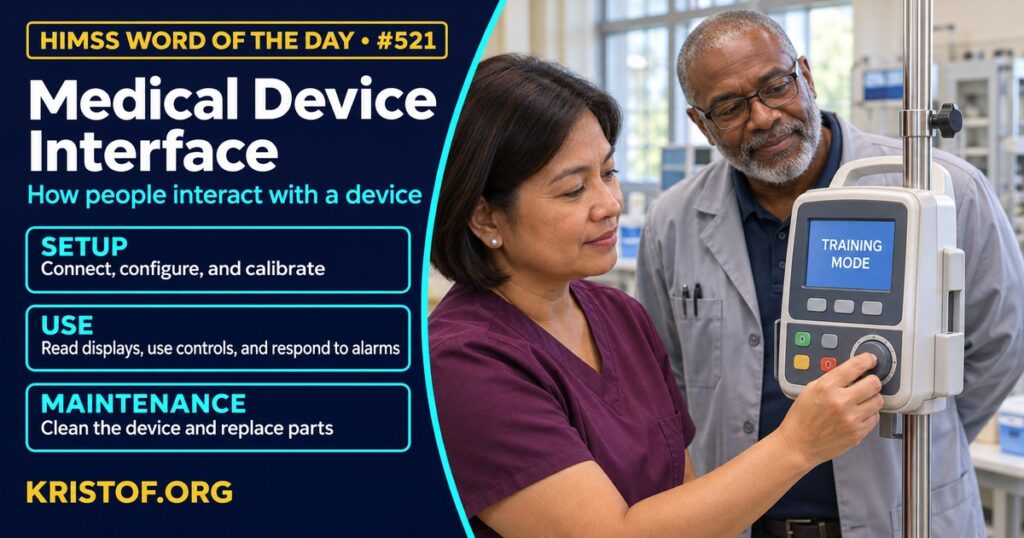
The HIMSS Dictionary defines the medical device interface (MDI) as the sum of every point at which a person interacts with a device. That reaches well beyond a screen. It includes buttons, dials, touch panels, ports, alarms, labels, cables, covers, and any other physical or visual element the person handles. The description also follows the whole device lifecycle: unpacking, setup, and calibration at the start; routine use during care; and maintenance tasks such as cleaning, swapping a battery, or repairing parts.
This is the human-facing meaning of “interface.” It is about how a nurse, a respiratory therapist, a technician, or a patient sees and operates the device. The same word is also used in health IT for the electronic connection that sends device readings into an electronic health record, which is a different topic. Both matter in practice, but this post follows the dictionary: the interface between people and the device itself.
Why the distinction is worth making: a device can have flawless data connections and still be hard to program correctly at 3 a.m. Regulators treat this as a safety question. The FDA publishes guidance on applying human factors and usability engineering to medical devices, and it describes the aim as helping manufacturers design devices that are safe and effective for their intended users, uses, and use environments, with fewer use errors and less resulting harm.
Interface quality shows up in a few places. Clear labeling and logical menus reduce wrong-button errors. Sensible defaults and warnings help catch mistakes before they reach a patient. Setup and cleaning steps that are easy to follow help devices stay ready and safe. When any of these fail, the person usually compensates with workarounds, and workarounds are where risk collects.
| Interface element | Example of what the person does |
|---|---|
| Setup | Unpack, assemble, calibrate, and configure the device |
| Operation | Enter values, confirm settings, respond to alarms |
| Display and feedback | Read screens, lights, sounds, and status messages |
| Physical controls | Press buttons, turn dials, connect cables and accessories |
| Maintenance | Clean, replace batteries, and repair or swap parts |
⚠️ Exam Alert: A medical device interface (MDI) in the HIMSS Dictionary is the user-facing interface of the device, meaning all points of person-to-device interaction across setup, use, and maintenance. Do not confuse it with an HL7 or integration interface that moves device data into the EHR, with UDI, which identifies a device, or with the software user interface of an EHR screen.
🌐 Why It Matters: Real-World Healthcare IT Context
Research on device interfaces is spread across ergonomics, nursing, and patient safety journals. Each source below was checked against its published abstract.
Tase and colleagues, in Applied Ergonomics (2022), performed a systematic review of usability challenges that end users reported with medical devices in the home. They screened 3,471 studies, reviewed 202 in full text, and found that only 12 involved end users directly. Challenges fell into three groups: device-user, use environment, and device-user interface, and interface problems were the most common. The authors found no effective, standardized way to collect user feedback on usability in the post-market stage, which they describe as a knowledge gap. The review covers home care devices, so findings may not transfer directly to hospital equipment.
Klarich and colleagues, in Applied Ergonomics (2022), observed nurses working with smart infusion pumps and heuristically evaluated a pump used for secondary medication administration. They identified 43 usability problems. The authors state that the problems could create high cognitive burden for nurses and raise the likelihood of mistakes, and they offered design and process recommendations for each major finding. It is an evaluation of one pump in one setting, so it is best read as an example of how problems are found rather than a count for all pumps.
Blake and colleagues, in Nursing Open (2022), interviewed critical care nurses after they completed common intravenous programming tasks on two unfamiliar smart pumps. Thematic analysis produced four themes: appreciation for attractive design features, the need for efficiency, the importance of intuitive use, and concern for patient outcomes. The authors conclude that nurses strongly prefer a more usable pump interface that builds in safeguards. This is a qualitative descriptive study that used data from an earlier pilot, so it shows what nurses reported rather than how often errors occur.
Oliveira and colleagues, in Revista da Escola de Enfermagem da USP (2021), compared the usability of two volumetric infusion pump models in a pediatric intensive care unit. Seventy-two nursing staff members completed a task in a controlled environment, and 91.7 percent of tasks were completed. The pump model was associated with differences in how the pump was operated, in tasks completed with non-conformities, in use of a manual calculator, and in time to complete the task. The authors suggest that effectiveness and efficiency measures can reveal interaction failures to improve. The task was performed in a controlled setting rather than during live care.
Herrero and colleagues, in Frontiers in Digital Health (2025), reviewed five key articles on human factors engineering and infusion pumps, with a focus on procurement. They describe human factors as often overlooked when technology is selected, note that infusion devices can still cause over-infusion or delays despite being designed to reduce medication errors, and report wide variation in how human factors methods are designed, deployed, and reported. They call for standardized evaluations. With only five articles reviewed, it is a narrow synthesis, but it points at a practical lever: ask about usability evidence when buying.
Taken together, these sources suggest that device interface quality is a safety and workload issue, that problems are found most reliably by involving real users, and that the buying decision is an opportunity to look for them early.
Common medical device interface problems:
- Menus and screens that are hard to learn or easy to misread
- Programming steps that depend on memory or mental math
- Two similar devices in one hospital that work differently
- Setup, cleaning, or battery steps that are unclear or skipped
- Alarms and messages that are hard to interpret or ignore
- Little structured feedback from users after a device is in service
What supports better device interfaces:
- Usability and human factors testing with real users before purchase
- Standardizing on fewer device models where practical
- Hands-on training and competency checks for staff
- Clear job aids at the point of use
- A route for staff to report interface problems
- Involving nurses and biomedical engineers in selection
🏥 The Nurse’s Perspective: Clinical, Bedside, & Workflow
For nurses, the medical device interface is the part of the device that is felt every shift, in the moments when time is short and the task is routine.
At the Bedside
Nurses program pumps, silence alarms, attach sensors, and clean equipment between patients. A clear interface lets these steps be done correctly and quickly. A confusing one invites workarounds such as mental arithmetic, sticky-note reminders, or asking a colleague, and each workaround adds risk.
In Clinical Workflow
Nurse informaticists and biomedical engineering colleagues hear about interface problems first from the unit. Typical reports include a button that is easy to hit by mistake, a menu that differs between two pump models, or a message that is unclear. Collecting these reports and sharing them with purchasing, vendors, and safety committees turns individual frustration into usable evidence. Nurses are also well placed to take part in hands-on trials before a device is chosen.
In EHR Implementation (Go-Live Perspective)
During an Epic Go-Live, device interfaces and EHR screens meet at the bedside. Analysts at the elbow see the combined experience: nurses reading a value from a monitor, entering a setting from a pump, and confirming it in the record. Where steps feel duplicated or unclear, those observations help separate device interface issues from EHR build issues, so each can be sent to the right owner.
🎓 CAHIMS / CPHIMS & HIMSS Perspective
CAHIMS Exam Domain Mapping
The medical device interface connects technology, safety, and clinical practice:
| CAHIMS Domain | How MDI Appears |
|---|---|
| Healthcare & Technology Environments | Medical devices, regulation, and the use environment |
| Clinical Informatics | Usability, human factors, and clinician workflow |
| Healthcare Information & Systems Management | Device inventory, maintenance, support, and incident reporting |
| Management & Leadership | Procurement criteria, training, and standardization decisions |
Key Terms to Know Alongside Medical Device Interface
- Human Factors Engineering — design practice that fits tools to the abilities and limits of the people using them
- Use Error — an action or omission during device use that differs from what the designer or user intended
- Usability Testing — evaluation of how well intended users can complete tasks with a product
- Smart Infusion Pump — infusion device with software that checks programmed settings against limits
- Medical Device — instrument or apparatus intended for diagnosis, treatment, or monitoring
- Alert Fatigue — reduced response to alerts after repeated exposure
HIMSS Organizational Position
HIMSS offers education and research on health information and technology topics through its Resource Center. Members can find related information on the HIMSS Resource Center page.
🧭 More HIMSS Word of The Day Terms
Related terms in the Clinical Informatics series:
Browse all Clinical Informatics terms or the A–Z glossary.
🔗 Explore Further: External References
- Tase et al. (2022), Applied ergonomics — Usability challenges in the use of medical devices in the home environment: A systematic review of literature https://pubmed.ncbi.nlm.nih.gov/35430424/
- Klarich et al. (2022), Applied ergonomics — Usability of smart infusion pumps: A heuristic evaluation https://pubmed.ncbi.nlm.nih.gov/34562782/
- Blake et al. (2022), Nursing open — A qualitative analysis of intravenous smart pump usability https://pubmed.ncbi.nlm.nih.gov/35591755/
- Oliveira et al. (2021), Revista da Escola de Enfermagem da U S P — Usability of volumetric infusion pumps in pediatric intensive care https://pubmed.ncbi.nlm.nih.gov/33978144/
- Herrero et al. (2025), Frontiers in digital health — A review of human factors and infusion pumps: lessons for procurement https://pubmed.ncbi.nlm.nih.gov/39981104/
- FDA — Applying Human Factors and Usability Engineering to Medical Devices https://www.fda.gov/regulatory-information/search-fda-guidance-documents/applying-human-factors-and-usability-engineering-medical-devices
- HIMSS — Resource Center https://www.himss.org/resource-center
Term source: HIMSS Dictionary of Health Information and Technology Terms, Acronyms, and Organizations, 6th Edition (2025). All definitions in this series are paraphrased for editorial purposes. Readers are encouraged to consult the primary source for exact language.
Eric Andrew Kristof, RN, CAHIMS is a Healthcare IT professional and HIMSS Arkansas Chapter member based in Hot Springs Village, AR, with hands-on Epic Go-Live experience and a diverse healthcare and IT background. He writes at kristof.org at the intersection of clinical care and healthcare technology.
Leave a Reply