By Eric Andrew Kristof, RN, CAHIMS | Healthcare IT Professional | HIMSS Arkansas Chapter Member
About This Series: The HIMSS Word of The Day is a running blog series drawing from the HIMSS Dictionary of Health Information and Technology Terms, Acronyms, and Organizations, 6th Edition (2025) — the authoritative reference for healthcare IT professionals and the primary study resource for CAHIMS and CPHIMS certification. Each post paraphrases the term in plain language, grounds it in real-world healthcare IT context, and adds a bedside nursing perspective you won’t find in a textbook.
📖 The Term: User Permissions
Source: HIMSS Dictionary of Health Information and Technology Terms, Acronyms, and Organizations, 6th Edition (2025)
🔍 Plain-Language Definition
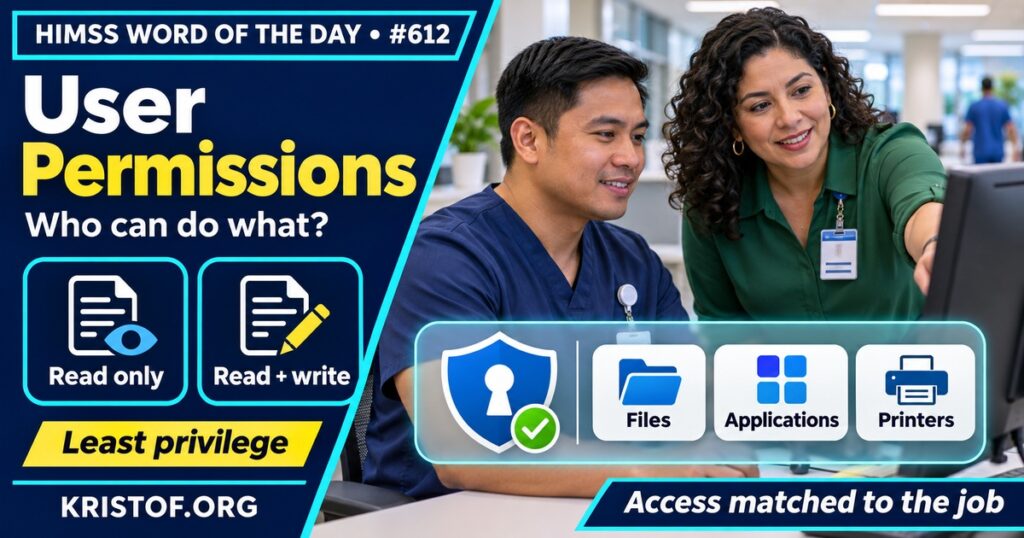
The HIMSS Dictionary describes user permissions as the authorization that lets a user reach particular network resources, with data files, applications, printers, and scanners as examples. It adds that permissions also set the kind of access allowed, such as read-only or read and write.
Microsoft’s Windows documentation gives a more precise picture for that environment. It says permissions define the type of access granted to a user or group for an object, such as a file, folder, printer, or registry key. It separates permissions from user rights: user rights grant specific privileges and sign-in rights to accounts, such as signing in interactively or backing up files, and apply to accounts, not to objects. The page recommends assigning permissions to groups, says common permissions include Read, Modify, Change owner, and Delete, and says files inherit a folder’s inheritable permissions. This is a vendor description for Windows, so other systems may use different names and defaults.
| Item | Detail |
|---|---|
| What it controls | The kind of access a user has to a specific resource, such as read-only or read and write |
| Where it attaches | To objects such as files, folders, printers, and applications, per Microsoft |
| How it differs from user rights | Rights apply to accounts, and permissions apply to objects, per Microsoft |
| HIPAA link | The access control standard in 45 CFR 164.312(a) |
| Related terms | Authorization, role-based access control, and least privilege |
⚠️ Exam Alert: Authentication confirms who a user is. Authorization decides what that user may do. User permissions are the specific grants that carry out authorization on a resource. A role is a way to bundle permissions, and least privilege is the idea of granting no more than a job needs. Keep these terms separate.
🌐 Why It Matters: Real-World Healthcare IT Context
Permissions turn an access decision into something a system can enforce. In health IT, that applies to operating system files and shared drives and also to the roles and privileges inside clinical applications.
HIPAA’s access control standard. Section 164.312(a) of Title 45 of the Code of Federal Regulations requires covered entities and business associates to implement technical policies and procedures for systems that maintain ePHI. Those policies must allow access only to people or software programs that have been granted access rights under Section 164.308(a)(4). The standard lists four implementation specifications: unique user identification (required), an emergency access procedure (required), automatic logoff (addressable), and encryption and decryption (addressable). The eCFR page shows the section as published in 2003 and amended in 2013. The rule does not use the phrase “user permissions,” and this post does not claim it prescribes a particular permission model.
Permissions and privileges. NIST‘s glossary defines a privilege as a right that, when given to an entity, lets it access or be authorized for an otherwise restricted object, state, or resource. A note on that entry says privileges represent a subject’s authorized behavior and are defined by an authority and embodied in policy or rules. The glossary gives other definitions as well, so the exact meaning depends on the source document.
Least privilege in practice. Microsoft’s page does not use the phrase “least privilege.” It does say administrators can set limits on the access given to authorized users and groups, and that users should be provisioned to access resources consistent with organizational policies and job requirements. That is the same idea in plain terms.
Research beyond roles. The research literature includes proposals to extend role-based access control. A 2026 paper by Capparelli and colleagues presents an adaptive access governance model that combines role-based, attribute-based, and risk-based authorization with continuous behavioral anomaly detection. Its abstract says insider-originated breaches remain the predominant vector of data compromise in healthcare, and says validation in simulated and operational environments showed fewer inappropriate access events. The abstract gives no figures, and the model is a proposal rather than an established practice. A 2020 paper by de Carvalho Junior and Bandiera-Paiva describes an adaptation of role-based access control that adds patient-centric control for explicit consent under the GDPR. Both papers describe designs, and neither shows that health systems widely use them.
Common user permissions problems:
- Granting broader access than a job needs
- Assigning permissions to individuals instead of groups
- Overlooking inheritance, so a folder’s permissions reach files placed inside it
- Confusing permissions on an object with rights on an account
- Leaving permissions unchanged when a person’s role changes
What supports sound permissions:
- Group- or role-based assignment tied to job requirements
- Unique user identification, so actions can be tracked
- A defined emergency access procedure, as HIPAA lists
- Regular review of who has access to what
🏥 The Nurse’s Perspective: Clinical, Bedside, & Workflow
Nurses experience permissions as what they can open, enter, sign, or print in a given system.
At the Bedside
A nurse who cannot open a record, order a supply, or print a label may be running into a permission setting. Access in clinical applications is usually tied to role and to the patient relationship, though details vary by organization and system. HIPAA’s emergency access specification exists because clinicians sometimes need information urgently, and local procedures define how that works.
In Clinical Workflow
Nurse informaticists often help define which roles need which access. Because Microsoft’s guidance and the least-privilege idea both point to access that matches job requirements, a clear description of what a role does is the starting input. Float staff, students, and temporary staff are common cases where the right permissions are worth thinking through.
In EHR Implementation (Go-Live Perspective)
During an Epic Go-Live, analysts at the elbow hear access questions constantly, such as why a nurse cannot see a report or sign an order. Sorting out whether the cause is a missing role, a permission on a resource, or a sign-in problem shortens the fix. This post does not claim that any specific go-live had a permission problem.
🎓 CAHIMS / CPHIMS & HIMSS Perspective
CAHIMS Exam Domain Mapping
User permissions support security and operations knowledge:
| CAHIMS Domain | How User Permissions Appear |
|---|---|
| Healthcare & Technology Environments | Network resources, files, and printers |
| Clinical Informatics | Clinical roles and who may view or sign what |
| Healthcare Information & Systems Management | Access control, HIPAA technical policies, and administration |
| Management & Leadership | Policy ownership and periodic access review |
Key Terms to Know Alongside User Permissions
- Authorization — granting a user the right to access a resource or perform an action
- Access control — limiting who or what can use a system or data
- RBAC — assigning permissions through roles that match job functions
- Least privilege — giving users only the access their tasks require
- Authentication — verifying that users are who they claim to be
- Audit trail — a record of who did what and when
HIMSS Organizational Position
HIMSS offers education and research on health information and technology topics through its Resource Center. Members can find related information on the HIMSS Resource Center page.
🔗 Explore Further: External References
- eCFR — 45 CFR 164.312, Technical Safeguards (access control standard) https://www.ecfr.gov/current/title-45/subtitle-A/subchapter-C/part-164/subpart-C/section-164.312
- Microsoft Learn — Access Control Overview (Windows) https://learn.microsoft.com/en-us/windows/security/identity-protection/access-control/access-control
- NIST CSRC — Glossary: privilege https://csrc.nist.gov/glossary/term/privilege
- Capparelli et al. (2026), Studies in health technology and informatics — Adaptive Access Governance in Healthcare https://pubmed.ncbi.nlm.nih.gov/42175252/
- de Carvalho Junior and Bandiera-Paiva (2020), Journal of medical systems — Strengthen Electronic Health Records System (EHR-S) Access-Control to Cope with GDPR Explicit Consent https://pubmed.ncbi.nlm.nih.gov/32803481/
- HIMSS — Resource Center https://www.himss.org/resource-center
Term source: HIMSS Dictionary of Health Information and Technology Terms, Acronyms, and Organizations, 6th Edition (2025). All definitions in this series are paraphrased for editorial purposes. Readers are encouraged to consult the primary source for exact language.
Eric Andrew Kristof, RN, CAHIMS is a Healthcare IT professional and HIMSS Arkansas Chapter member based in Hot Springs Village, AR, with hands-on Epic Go-Live experience and a diverse healthcare and IT background. He writes at kristof.org at the intersection of clinical care and healthcare technology.
Leave a Reply