By Eric Andrew Kristof, RN, CAHIMS | Healthcare IT Professional | HIMSS Arkansas Chapter Member
About This Series: The HIMSS Word of the Day is a running blog series drawing from the HIMSS Dictionary of Health Information and Technology Terms, Acronyms, and Organizations, 6th Edition (2025) — the authoritative reference for healthcare IT professionals and the primary study resource for CAHIMS and CPHIMS certification. Each post paraphrases the term in plain language, grounds it in real-world healthcare IT context, and adds a bedside nursing perspective you won’t find in a textbook.
📖 The Term: Role-Based Access Control (RBAC)
Source: HIMSS Dictionary of Health Information and Technology Terms, Acronyms, and Organizations, 6th Edition (2025)
🔍 Plain-Language Definition
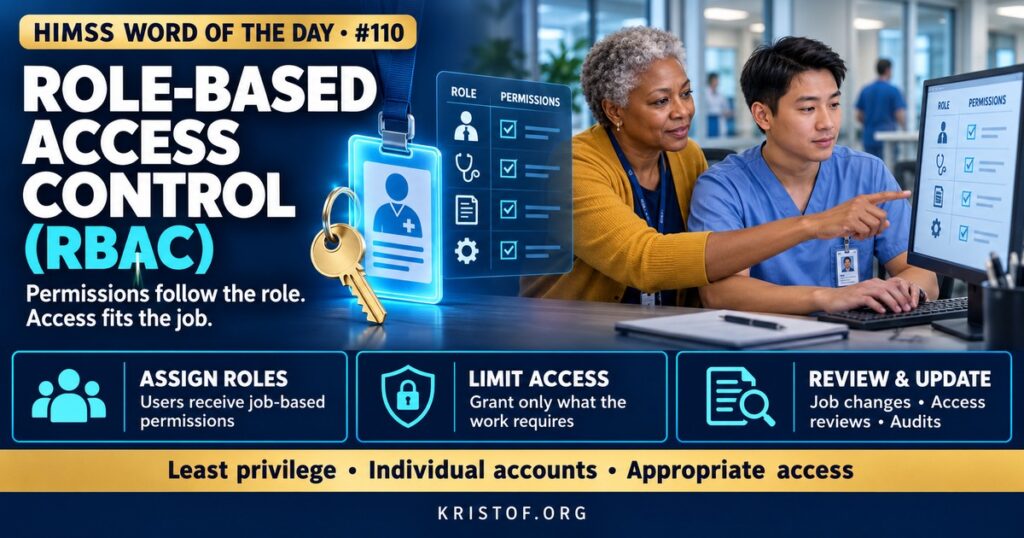
Role-based access control (RBAC) is a way of managing what users can see and do in a system by assigning permissions to roles, such as “medical-surgical RN” or “pharmacist,” and then assigning people to those roles. When a person changes jobs, their access changes by changing their role, rather than by editing dozens of individual permissions.
The HIMSS Dictionary describes RBAC as a way to control who can reach computer or network resources according to each user’s role in the organization. It notes that roles are defined by job competency, authority, and responsibility.
| RBAC Element | What It Means | EHR Example |
|---|---|---|
| User | A person with an account | A registered nurse on a cardiac unit |
| Role | A job-based bundle of permissions | Inpatient RN security template |
| Permission | The right to perform an action on a resource | Document flowsheets, administer medications, view notes |
| Session | A period when a user is logged in with active roles | A nurse’s shift login on a unit workstation |
| Constraint | A rule limiting combinations or use of roles | Separation of duties between ordering and dispensing |
⚠️ Exam Alert: RBAC grants access by role. Discretionary access control lets owners decide who can access a resource. Mandatory access control uses system-enforced labels such as classification levels. Attribute-based access control (ABAC) uses attributes such as role, location, time, and relationship to the patient. Least privilege is the principle RBAC helps implement: give only the access needed for the job.
🌐 Why It Matters: Real-World Healthcare IT Context
Healthcare organizations have thousands of users with very different responsibilities. Managing access person by person would be unmanageable and error-prone. RBAC makes access consistent: everyone in the same role gets the same permissions, which simplifies provisioning, audits, and changes.
RBAC also supports legal requirements. The HIPAA Security Rule requires access controls and information access management, including policies for granting access based on job need. The Privacy Rule’s minimum necessary standard asks covered entities to identify which workforce members need access to which categories of PHI. Well-designed roles turn those requirements into system settings.
Clinical care complicates pure RBAC. Nurses float to other units, residents rotate, and emergencies arise where a clinician needs information outside their usual scope. Organizations therefore combine RBAC with additional controls. Context-based or attribute-based rules can consider the department, location, or care relationship. Break-the-glass functions allow access to restricted records in urgent situations, with a documented reason and later review. Audit trails and privacy monitoring detect access that roles technically permit but job duties do not justify.
Provisioning connects RBAC to human resources. In mature programs, a new hire’s job code automatically triggers the right role assignments, a transfer updates them, and a termination removes access the same day. Manual processes, by contrast, often leave departed employees with active accounts or leave new staff waiting days for access they need on their first shift. Automating these steps reduces both security risk and frustration.
NIST has long supported RBAC research and standards, and the model is widely implemented in commercial systems.
Role design is a balancing act. Roles that are too broad grant unnecessary access and increase privacy risk. Roles that are too narrow block legitimate work, create help desk calls, and encourage workarounds such as sharing logins. Over time, organizations accumulate many slightly different roles, a problem known as role explosion, which makes access harder to understand and review.
Common RBAC problems:
- Roles that grant far more access than the job requires
- Role explosion, with many nearly identical templates
- Access not removed promptly when staff leave or change jobs
- Temporary access that becomes permanent
- Shared accounts that bypass role-based controls
- Roles not reviewed after system upgrades or workflow changes
Practices for effective RBAC:
- Roles designed with clinical, privacy, and security input
- Provisioning and deprovisioning tied to human resources events
- Periodic access reviews by managers
- Break-the-glass with documented reasons and monitoring
- Privacy monitoring of access patterns
- Clear processes for requesting and approving additional access
🏥 The Nurse’s Perspective: Clinical, Bedside, & Workflow
Nurses experience RBAC every time the EHR shows certain screens and hides others.
At the Bedside
A nurse’s security role determines which activities appear, which orders can be acknowledged, and which documentation tools are available. When something a nurse needs is missing, the cause may be the role assignment rather than a broken system. Reporting the specific task and screen helps the access team fix the role for everyone in that job.
Roles do not decide what is appropriate to view. Even if the system allows a nurse to open many charts, accessing records without a care-related reason is a privacy violation. Audit trails record every access regardless of role.
Students and agency staff present special challenges. They often need access quickly, for limited periods, and sometimes with restrictions, such as cosignature requirements. Time-limited roles that expire automatically help prevent temporary access from lingering.
In Clinical Workflow
Float nurses, travel nurses, and nurses who work in multiple departments may need access that spans units. Organizations often handle this with additional role assignments or context-based access, and nurses should request access through the defined process rather than borrowing someone else’s login.
Break-the-glass screens appear when a nurse opens a restricted record, such as a VIP or employee chart. Entering an honest, specific reason documents the clinical need, and privacy teams review these events afterward.
In EHR Implementation (Go-Live Perspective)
During an Epic Go-Live, security role design is one of the most consequential tasks. Teams map every job to a role template, test that each role can complete its workflows, and assign users before Go-Live. Missing or incorrect roles are among the most common first-day support issues.
At-the-elbow support analysts help by capturing exactly what a user cannot do and escalating to the security team. They never share their own access or log in for a user, because that would undermine both RBAC and the audit trail.
🎓 CAHIMS / CPHIMS & HIMSS Perspective
CAHIMS Exam Domain Mapping
RBAC appears in security and privacy questions:
| CAHIMS Domain | How RBAC Appears |
|---|---|
| Healthcare & Technology Environments | HIPAA access control requirements; minimum necessary |
| Clinical Informatics | Role design for clinical workflows; break-the-glass; float staff access |
| Healthcare Information & Systems Management | Security templates, provisioning, access reviews, identity and access management |
| Management & Leadership | Access governance, privacy monitoring, separation of duties |
Key Terms to Know Alongside RBAC
- Least Privilege — granting only the access needed to perform a job
- Attribute-Based Access Control (ABAC) — access decisions based on attributes such as role, location, and time
- Break the Glass — emergency access to restricted information with documentation and review
- Provisioning — creating and updating user accounts and access rights
- Separation of Duties — dividing tasks so no single person controls a sensitive process end to end
- Access Review — periodic confirmation that users’ access remains appropriate
HIMSS Organizational Position
HIMSS addresses access control as part of cybersecurity and privacy, emphasizing identity and access management that protects patient data while supporting clinical workflow. Members can find related education and research through the HIMSS Resource Center.
🔗 Explore Further: External References
- NIST — Role-Based Access Control Project https://csrc.nist.gov/projects/role-based-access-control
- eCFR — 45 CFR 164.312, HIPAA Technical Safeguards (Access Control) https://www.ecfr.gov/current/title-45/subtitle-A/subchapter-C/part-164/subpart-C/section-164.312
- eCFR — 45 CFR 164.308, HIPAA Administrative Safeguards (Information Access Management) https://www.ecfr.gov/current/title-45/subtitle-A/subchapter-C/part-164/subpart-C/section-164.308
- HHS — Minimum Necessary Requirement https://www.hhs.gov/hipaa/for-professionals/privacy/guidance/minimum-necessary-requirement/index.html
- NIST — SP 800-207, Zero Trust Architecture https://csrc.nist.gov/pubs/sp/800/207/final
- HIMSS — Healthcare Cybersecurity Community https://www.himss.org/networking/communities/healthcare-cybersecurity/
Term source: HIMSS Dictionary of Health Information and Technology Terms, Acronyms, and Organizations, 6th Edition (2025). All definitions in this series are paraphrased for editorial purposes. Readers are encouraged to consult the primary source for exact language.
Eric Andrew Kristof, RN, CAHIMS is a Healthcare IT professional and HIMSS Arkansas Chapter member based in Hot Springs Village, AR, with hands-on Epic Go-Live experience and a diverse healthcare and IT background. He writes at kristof.org at the intersection of clinical care and healthcare technology.
Leave a Reply