By Eric Andrew Kristof, RN, CAHIMS | Healthcare IT Professional | HIMSS Arkansas Chapter Member
About This Series: The HIMSS Word of The Day is a running blog series drawing from the HIMSS Dictionary of Health Information and Technology Terms, Acronyms, and Organizations, 6th Edition (2025) — the authoritative reference for healthcare IT professionals and the primary study resource for CAHIMS and CPHIMS certification. Each post paraphrases the term in plain language, grounds it in real-world healthcare IT context, and adds a bedside nursing perspective you won’t find in a textbook.
📖 The Term: Touch Screen
Source: HIMSS Dictionary of Health Information and Technology Terms, Acronyms, and Organizations, 6th Edition (2025)
🔍 Plain-Language Definition
The HIMSS Dictionary defines a touch screen as a computer display that also serves as an input device. The screen senses pressure or contact, so a person operates the computer by touching pictures or words directly on the display rather than using a separate mouse or keyboard.
Touch screens are now everywhere in health care. Patient check-in kiosks, tablets used for questionnaires, bedside monitors, infusion pump displays, medication cabinets, mobile carts, and clinician tablets all rely on touch input. The appeal is simple: touching an item on the screen is more direct than moving a pointer, and it can be easier for people who are not comfortable with a mouse.
Those same features create design and safety questions. Touch targets must be large enough and spaced well enough to avoid mis-taps, which matters in settings where a wrong tap could change a dose or a setting. People with limited hand function, vision, or dexterity may find touch interfaces hard to use. Gloves, wet hands, and motion can affect accuracy. And because many people touch the same display, touch screens can carry germs and need regular cleaning and disinfection that does not damage the screen.
For health IT teams, a touch screen is therefore a matter of usability and accessibility, infection prevention, and device management together.
| Consideration | Why it matters |
|---|---|
| Target size and spacing | Reduces mis-taps and errors |
| Accessibility | Supports users with limited hand function or vision |
| Environment | Gloves, wet hands, glare, and motion affect use |
| Cleaning | Shared surfaces need safe, compatible disinfection |
| Workflow fit | Touch must match the task, such as short entries versus long documentation |
⚠️ Exam Alert: A touch screen is a display that also accepts input by touch. It is an interface device, not a type of software. Do not confuse it with a thin client (a computer that relies on a central system), a kiosk (a station that may use a touch screen), or voice recognition, which is a different input method.
🌐 Why It Matters: Real-World Healthcare IT Context
Studies of touch screens in health care look at patient acceptance, accessibility, comparability with paper tools, and infection control. Each source below was checked against its published abstract.
Brammer and colleagues, in the Journal of Laryngology and Otology (2017), evaluated a touch-screen computer questionnaire for head and neck cancer patients completing the Adult Co-morbidity Evaluation 27 before treatment. Among 96 patients, an accurate score was achieved through the patient-completed questionnaire for 97 percent. Ninety-six percent found the touch-screen computer acceptable and would use one again, and 62 percent would do so without help. Patients aged 65 or younger and those with better performance status were more likely to be willing to use it without help. The study was an audit in a single clinic.
Moroncini and colleagues, in the Journal of Scleroderma and Related Disorders (2021), tested a touchscreen application with 80 scleroderma patients and 80 healthy controls. The app included three games that tested tapping, dragging and dropping, and pinching to zoom. Scleroderma patients performed worse than healthy users in each game, and specific design items that reduced performance were identified. In a second phase, the ten worst performers took part in a home rehabilitation trial using a modified version of the app. The authors say the results support guidelines for accessible touchscreen design and suggest touchscreen technology could be part of self-administered hand rehabilitation. The rehabilitation phase was small.
Wallace and colleagues, in NeuroRehabilitation (2019), compared a touchscreen tablet-based cognitive assessment with two paper cognitive assessments in 40 adults with traumatic brain injury. Several tablet subtests were well related to paper subtests, such as orientation and generative naming, and people who were very comfortable using the iPad performed better on one item than those who were not comfortable. The authors say moderate correlations suggest validity for some items but that modifications and more testing are needed. It was a quasi-experimental study with a small sample.
Iannessi and colleagues, in Insights into Imaging (2018), reviewed existing and potential user interfaces for radiology. They note that the mouse and keyboard remain the most used for usability reasons, that touchscreens, kinetic sensors, eye tracking, and augmented or virtual reality offer new possibilities, and that good usability is essential for adoption. It is a narrative review, so it describes options rather than comparing them in trials.
Hessling and colleagues, in GMS Hygiene and Infection Control (2021), reviewed the literature on microbial contamination of touchscreens to determine reasonable ultraviolet disinfection doses. The most frequent organisms were staphylococci, bacilli, micrococci, enterococci, pseudomonads, and E. coli, with small differences between hospital and community settings. They derived UV doses expected to reduce the most frequent organisms by five log levels, about 40 mJ/cm2 for UVC and 50 mJ/cm2 for far-UVC, and concluded that disinfection is achievable across UV ranges, with UVC the most effective, potentially within a minute or less. They emphasize limiting doses to avoid degrading the devices. The doses come from published literature and calculation, not from a clinical trial of cleaned screens.
Taken together, the studies show that touch screens can be accepted by many patients, that hand function and comfort affect performance, and that cleaning must be planned alongside design.
Common touch screen problems:
- Targets that are small, close together, or easy to tap by mistake
- Interfaces that are hard for people with limited hand function or vision
- Patients who are unsure how to use the device without help
- Shared screens that are not cleaned often or correctly
- Disinfectants that damage screens or coatings
- Software designed for a mouse and keyboard but used on touch
What supports effective touch screen use:
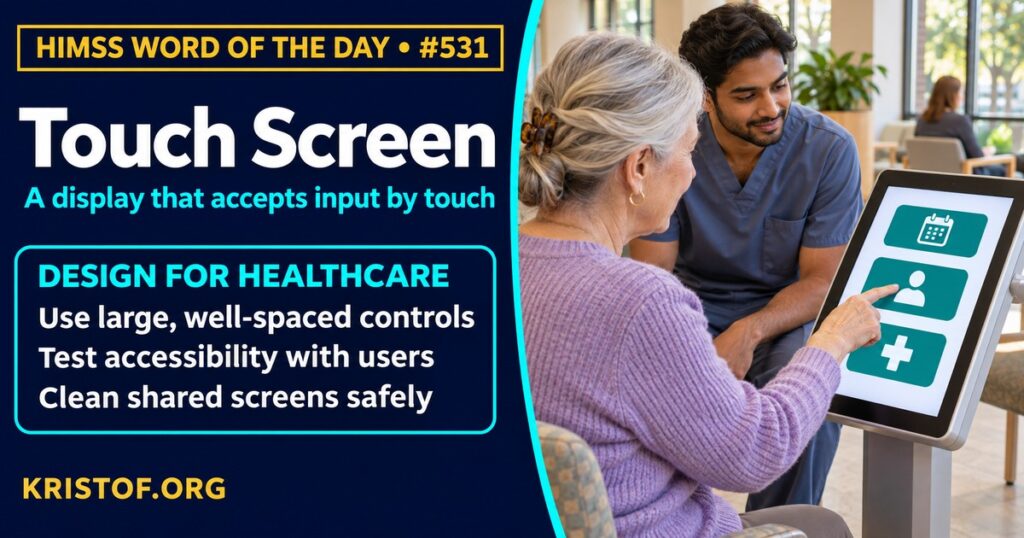
- Large, well-spaced controls and clear feedback on each tap
- Accessibility testing with the people who will use the device
- Staff available to help patients who are unsure
- Cleaning procedures approved for the specific device
- Testing with gloves and in real clinical conditions
- Offering an alternative input when touch is not suitable
🏥 The Nurse’s Perspective: Clinical, Bedside, & Workflow
Touch screens are in a nurse’s hands all shift, and small interface details become big workflow differences.
At the Bedside
Nurses tap through pump settings, monitors, medication cabinets, and documentation screens. Clear, well-sized controls make settings easier to confirm, while cluttered or tiny targets raise the chance of an error. Cleaning shared screens between patients is part of infection prevention, using products that the manufacturer allows.
In Clinical Workflow
Nurse informaticists and infection preventionists review whether devices can be wiped with approved disinfectants and how often cleaning is expected. Patient-facing touch screens, such as check-in kiosks and tablets with questionnaires, may need staff help for patients who are less comfortable with technology or have limited hand function. Offering a paper or assisted option keeps the process accessible.
In EHR Implementation (Go-Live Perspective)
During an Epic Go-Live, touch-based devices such as tablets and mobile carts are part of daily support. Analysts at the elbow see where screen layouts, glare, or device placement slow the work, and they note when a task is easier with a keyboard. These observations feed adjustments to layouts and device choices.
🎓 CAHIMS / CPHIMS & HIMSS Perspective
CAHIMS Exam Domain Mapping
Touch screens connect devices, usability, and infection prevention:
| CAHIMS Domain | How Touch Screens Appear |
|---|---|
| Healthcare & Technology Environments | Devices, kiosks, tablets, and clinical environments |
| Clinical Informatics | Usability, accessibility, and workflow fit |
| Healthcare Information & Systems Management | Device procurement, cleaning compatibility, and support |
| Management & Leadership | Standardization, patient access strategy, and training |
Key Terms to Know Alongside Touch Screen
- Usability — how effectively and satisfactorily users can complete tasks with a product
- Human–Computer Interaction — study of how people interact with computer systems
- Workstation — computer and surrounding area set up for a defined set of tasks
- Thin Client — terminal that relies on a central system for most processing
- Accessibility — design that allows people with varied abilities to use a product
- Fomite — object that can carry infectious organisms from one person to another
HIMSS Organizational Position
HIMSS offers education and research on health information and technology topics through its Resource Center. Members can find related information on the HIMSS Resource Center page.
🧭 More HIMSS Word of The Day Terms
Related terms in the IT Infrastructure series:
- Picture Archiving and Communication System (PACS)
- TCP/IP (Transmission Control Protocol/Internet Protocol)
- Practice Management System
Browse all IT Infrastructure terms or the A–Z glossary.
🔗 Explore Further: External References
- Brammer et al. (2017), The Journal of laryngology and otology — Adult Co-morbidity Evaluation 27 scores of head and neck cancer patients using touch-screen technology: patient satisfaction and clinical verification https://pubmed.ncbi.nlm.nih.gov/28249627/
- Moroncini et al. (2021), Journal of scleroderma and related disorders — Development of the optimal touchscreen interface for patients with scleroderma https://pubmed.ncbi.nlm.nih.gov/35386744/
- Wallace et al. (2019), NeuroRehabilitation — Touchscreen tablet-based cognitive assessment versus paper-based assessments for traumatic brain injury https://pubmed.ncbi.nlm.nih.gov/31403955/
- Iannessi et al. (2018), Insights into imaging — A review of existing and potential computer user interfaces for modern radiology https://pubmed.ncbi.nlm.nih.gov/29770927/
- Hessling et al. (2021), GMS hygiene and infection control — Review of microbial touchscreen contamination for the determination of reasonable ultraviolet disinfection doses https://pubmed.ncbi.nlm.nih.gov/34956822/
- HIMSS — Resource Center https://www.himss.org/resource-center
Term source: HIMSS Dictionary of Health Information and Technology Terms, Acronyms, and Organizations, 6th Edition (2025). All definitions in this series are paraphrased for editorial purposes. Readers are encouraged to consult the primary source for exact language.
Eric Andrew Kristof, RN, CAHIMS is a Healthcare IT professional and HIMSS Arkansas Chapter member based in Hot Springs Village, AR, with hands-on Epic Go-Live experience and a diverse healthcare and IT background. He writes at kristof.org at the intersection of clinical care and healthcare technology.
Leave a Reply