By Eric Andrew Kristof, RN, CAHIMS | Healthcare IT Professional | HIMSS Arkansas Chapter Member
About This Series: The HIMSS Word of the Day is a running blog series drawing from the HIMSS Dictionary of Health Information and Technology Terms, Acronyms, and Organizations, 6th Edition (2025) — the authoritative reference for healthcare IT professionals and the primary study resource for CAHIMS and CPHIMS certification. Each post paraphrases the term in plain language, grounds it in real-world healthcare IT context, and adds a bedside nursing perspective you won’t find in a textbook.
📖 The Term: Virtual Private Network (VPN)
Source: HIMSS Dictionary of Health Information and Technology Terms, Acronyms, and Organizations, 6th Edition (2025)
🔍 Plain-Language Definition
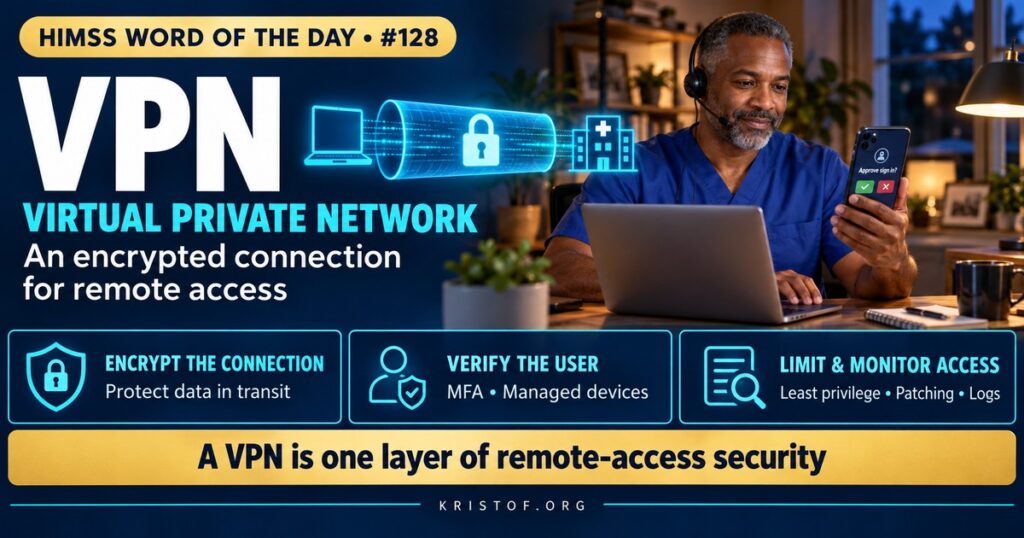
A virtual private network (VPN) uses encryption and authentication to create a secure connection, often called a tunnel, across a public network such as the internet, so that remote users or locations can access a private organizational network as if they were directly connected.
The HIMSS Dictionary describes a VPN as a network built over public infrastructure, usually the internet, that links remote users or regional offices to an organization’s private internal network. It explains that a VPN relies on encryption and other security mechanisms so that only authorized users gain access and data cannot be intercepted, creating an encrypted tunnel for traffic between the remote user and the organization.
| VPN Type | How It Works | Healthcare Example |
|---|---|---|
| Remote-Access VPN | Individual users connect from their devices | A radiologist reading studies from home |
| Site-to-Site VPN | Two networks connect through gateways | A rural clinic connected to the main hospital network |
| IPsec VPN | Uses the IPsec protocol suite at the network layer | A permanent tunnel between data centers |
| TLS/SSL VPN | Uses TLS, often through a browser or lightweight client | Clinicians connecting through a web portal |
| Vendor Remote Access | Third parties connect for support | An EHR or device vendor troubleshooting a system |
⚠️ Exam Alert: A VPN protects data in transit through an encrypted tunnel; it does not protect data at rest. TLS secures connections between applications; IPsec secures traffic at the network layer. Zero trust assumes no implicit trust based on network location and verifies every request, whereas a traditional VPN often grants broad network access once connected.
🌐 Why It Matters: Real-World Healthcare IT Context
Healthcare relies heavily on remote access. Clinicians document from home, radiologists and other specialists read remotely, revenue cycle staff work off-site, and clinics connect to central systems. VPNs have long been the standard way to provide this access securely.
NIST provides guidance for VPNs. Its Guide to IPsec VPNs, SP 800-77, explains how to plan and implement IPsec-based connections, and its telework and remote access guide, SP 800-46, addresses securing remote access, including the devices people use to connect. HIPAA‘s Security Rule requires transmission security for ePHI sent over networks, and VPNs are one common way to provide it.
VPNs have also become targets. Because a VPN gateway sits at the edge of the network and grants access to internal systems, attackers actively look for unpatched VPN appliances and stolen VPN credentials. Federal cybersecurity agencies have issued repeated advisories about vulnerabilities in VPN products, and compromised remote access has been an entry point in healthcare ransomware incidents.
Multifactor authentication is essential. A VPN protected only by a password can be accessed with credentials stolen through phishing or reused from other breaches. Requiring a second factor and monitoring for unusual logins greatly reduce this risk.
Broad access is another concern. A traditional VPN may place a remote user on the internal network with access to far more systems than needed. If that user’s device is compromised, malware can spread internally. Segmentation and least-privilege access limit the damage.
These concerns have pushed organizations toward zero trust approaches. NIST’s zero trust architecture guidance, SP 800-207, describes verifying each request based on identity, device, and context rather than network location. Many organizations now use application-specific remote access, virtual desktops, or zero trust network access alongside or in place of traditional VPNs.
Split tunneling is a configuration choice with security consequences. When it is enabled, only traffic bound for the organization travels through the VPN while other internet traffic goes directly from the device, which saves bandwidth but reduces the organization’s ability to inspect and protect that traffic. Organizations decide based on their risk tolerance, monitoring tools, and performance needs, and document the choice.
Vendor access deserves special care. Vendors that support EHRs, devices, and building systems often need remote connections, and those connections should be limited, monitored, and enabled only when needed.
Common VPN risks in healthcare:
- Unpatched VPN appliances with known vulnerabilities
- Password-only authentication
- Broad network access once connected
- Shared or unmanaged vendor accounts
- Personal devices with malware connecting to the network
- Limited monitoring of remote sessions
Practices for secure remote access:
- Prompt patching of VPN and remote access systems
- Multifactor authentication for all remote access
- Least-privilege access and network segmentation
- Device health checks before connection
- Time-limited, monitored vendor access
- Movement toward zero trust architecture
🏥 The Nurse’s Perspective: Clinical, Bedside, & Workflow
Nurses who work remotely or support virtual care often depend on VPNs and other secure remote access tools.
At the Bedside
Most bedside work happens on the hospital network, but nurses in virtual nursing, telehealth, case management, and informatics roles may connect remotely. Following organizational rules for remote access, including using approved devices and multifactor authentication, protects patient information.
Multifactor prompts that arrive when a nurse has not tried to log in should be denied and reported. Unexpected prompts can mean someone else is trying to use stolen credentials.
In Clinical Workflow
Remote charting, telephone triage, and care management from home require stable, secure connections. Using home networks with strong passwords, keeping devices updated, and avoiding public Wi-Fi without approved protections all support security.
When remote access fails, nurses may need to follow downtime or alternate workflows until the connection is restored. Reporting connection problems promptly helps IT identify broader outages or attacks.
Nurses working in virtual nursing programs, where remote nurses support bedside teams through video, depend on reliable secure connections. Clear escalation paths for technical problems keep patient care moving.
Shared family computers are a poor choice for remote clinical work. Organizations typically require managed devices or secure virtual desktops so patient information is not stored on personal machines.
In EHR Implementation (Go-Live Perspective)
During an Epic Go-Live, remote users need tested access to the new system, including VPN or virtual desktop connections, updated clients, and multifactor authentication. Remote staff can otherwise be left unable to work on the first day.
At-the-elbow support may be limited for remote workers, so virtual support channels, clear instructions, and dedicated help desk queues are important. Super users who work remotely can help peers troubleshoot access problems.
🎓 CAHIMS / CPHIMS & HIMSS Perspective
CAHIMS Exam Domain Mapping
VPNs appear in security and infrastructure questions:
| CAHIMS Domain | How VPNs Appear |
|---|---|
| Healthcare & Technology Environments | Remote work; HIPAA transmission security; threat landscape |
| Clinical Informatics | Remote clinical workflows; virtual nursing; telehealth access |
| Healthcare Information & Systems Management | IPsec and TLS VPNs, gateways, segmentation, zero trust architecture |
| Management & Leadership | Remote access policy, vendor management, risk management |
Key Terms to Know Alongside VPN
- Encryption in Transit — protecting data as it moves across networks
- IPsec — a protocol suite for securing traffic at the network layer
- Multifactor Authentication (MFA) — verifying identity with two or more types of evidence
- Zero Trust Architecture — a security model that verifies every access request rather than trusting network location
- Network Segmentation — dividing networks to limit access and contain threats
- Remote Access — connecting to organizational systems from outside the facility
HIMSS Organizational Position
HIMSS addresses remote access security through its cybersecurity education, research, and Healthcare Cybersecurity Community, encouraging layered defenses such as multifactor authentication and zero trust. Members can find related education and research through the HIMSS Resource Center.
🔗 Explore Further: External References
- NIST — SP 800-77 Rev. 1, Guide to IPsec VPNs https://csrc.nist.gov/pubs/sp/800/77/r1/final
- NIST — SP 800-46 Rev. 2, Guide to Enterprise Telework, Remote Access, and BYOD Security https://csrc.nist.gov/pubs/sp/800/46/r2/final
- NIST — SP 800-207, Zero Trust Architecture https://csrc.nist.gov/pubs/sp/800/207/final
- eCFR — 45 CFR 164.312, HIPAA Technical Safeguards https://www.ecfr.gov/current/title-45/subtitle-A/subchapter-C/part-164/subpart-C/section-164.312
- HHS 405(d) Program — Health Industry Cybersecurity Practices https://405d.hhs.gov/
- HIMSS — Healthcare Cybersecurity Community https://www.himss.org/networking/communities/healthcare-cybersecurity/
Term source: HIMSS Dictionary of Health Information and Technology Terms, Acronyms, and Organizations, 6th Edition (2025). All definitions in this series are paraphrased for editorial purposes. Readers are encouraged to consult the primary source for exact language.
Eric Andrew Kristof, RN, CAHIMS is a Healthcare IT professional and HIMSS Arkansas Chapter member based in Hot Springs Village, AR, with hands-on Epic Go-Live experience and a diverse healthcare and IT background. He writes at kristof.org at the intersection of clinical care and healthcare technology.
Leave a Reply