By Eric Andrew Kristof, RN, CAHIMS | Healthcare IT Professional | HIMSS Arkansas Chapter Member
About This Series: The HIMSS Word of the Day is a running blog series drawing from the HIMSS Dictionary of Health Information and Technology Terms, Acronyms, and Organizations, 6th Edition (2025) — the authoritative reference for healthcare IT professionals and the primary study resource for CAHIMS and CPHIMS certification. Each post paraphrases the term in plain language, grounds it in real-world healthcare IT context, and adds a bedside nursing perspective you won’t find in a textbook.
📖 The Term: Cloud Computing
Source: HIMSS Dictionary of Health Information and Technology Terms, Acronyms, and Organizations, 6th Edition (2025)
🔍 Plain-Language Definition
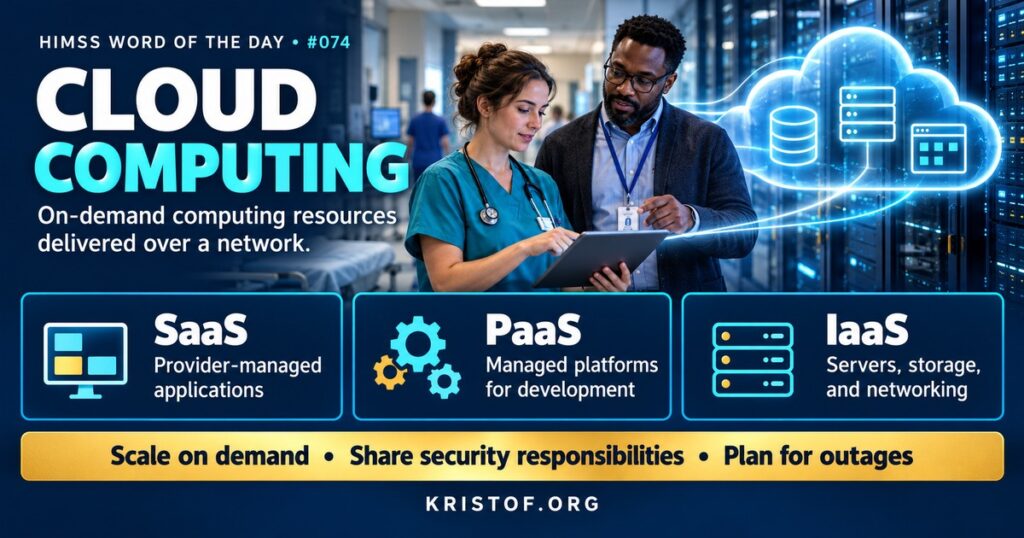
The cloud is shorthand for computing resources, such as servers, storage, databases, and applications, that are delivered over the internet by a provider rather than run in an organization’s own building. Using the cloud means renting capacity and services instead of owning all of the hardware.
The HIMSS Dictionary treats “the cloud” as a general metaphor for the internet. It traces the term’s history: the internet was first understood as a distributed network, then, once the web arrived, as a mass of interconnected media, and as it grew in size and in the range of things it did, people began calling it “the cloud.”
NIST’s widely used definition, in SP 800-145, describes cloud computing through five essential characteristics: on-demand self-service, broad network access, resource pooling, rapid elasticity, and measured service. It also defines three service models and four deployment models.
| Service Model | What the Provider Manages | Healthcare Example |
|---|---|---|
| Software as a Service (SaaS) | The application and everything beneath it | Cloud-hosted EHR modules, scheduling, email, learning systems |
| Platform as a Service (PaaS) | The platform, such as databases and runtime environments | A managed database used for an analytics application |
| Infrastructure as a Service (IaaS) | Servers, storage, and networking | Virtual servers hosting an imaging archive or disaster recovery copy |
| Deployment Model | Description |
|---|---|
| Public Cloud | Infrastructure open to many customers, operated by a cloud provider |
| Private Cloud | Infrastructure dedicated to one organization, on or off premises |
| Community Cloud | Infrastructure shared by organizations with common needs |
| Hybrid Cloud | A combination of two or more models connected for data and application portability |
⚠️ Exam Alert: In SaaS, the customer manages users and data while the provider runs the application. In IaaS, the customer manages operating systems, applications, and data. Under the shared responsibility model, security duties are split according to the service model. A cloud provider that stores ePHI for a covered entity is a business associate, even if it cannot view encrypted data.
🌐 Why It Matters: Real-World Healthcare IT Context
Healthcare organizations move to the cloud for several reasons: avoiding large hardware purchases, scaling capacity as needs grow, gaining access to advanced analytics and AI tools, improving disaster recovery, and reducing the burden of running data centers. Many EHR vendors also offer hosted options in which the vendor or a partner runs the system on behalf of the hospital.
HIPAA applies fully. HHS guidance on cloud computing states that a cloud service provider that creates, receives, maintains, or transmits electronic protected health information on behalf of a covered entity or business associate is itself a business associate. That remains true even if the provider stores only encrypted data and does not hold the key. The parties must sign a business associate agreement, and the provider must meet applicable Security Rule requirements.
Security responsibilities are shared. The provider secures the underlying infrastructure, while the customer remains responsible for how it configures services, manages identities and access, protects data, and monitors activity. Many cloud security incidents trace back to customer misconfigurations, such as storage left open to the internet, rather than failures of the provider’s infrastructure.
Resilience also changes. Cloud services can offer strong redundancy, but organizations still depend on internet connectivity and on the provider’s availability. Outages at a major provider can affect many customers at once, so continuity planning should include cloud dependencies.
Contracts deserve as much attention as technology. Cloud agreements should address where data is stored, how long it is retained, how quickly the provider must report security incidents, what audit reports are available, and how data will be returned or deleted if the organization leaves the service. Independent assessments, such as those performed for the federal FedRAMP program or industry frameworks like those from the Cloud Security Alliance, can help organizations compare providers’ security practices.
Common cloud challenges in healthcare:
- Misconfigured storage or access settings exposing data
- Missing or outdated business associate agreements
- Unclear division of security responsibilities
- Costs that grow faster than expected without monitoring
- Dependence on internet connectivity at clinical sites
- Data residency, retention, and exit planning overlooked in contracts
Characteristics of strong cloud programs:
- Risk analysis and security review before adopting a service
- Signed BAAs and clear contractual security terms
- Identity and access controls, including MFA, for cloud consoles
- Continuous configuration monitoring and logging
- Tested backups and recovery plans that account for provider outages
- Cost governance and a documented exit strategy
🏥 The Nurse’s Perspective: Clinical, Bedside, & Workflow
Nurses usually cannot tell whether an application runs in the hospital’s data center or in the cloud, but the difference shows up in a few practical ways.
At the Bedside
Cloud-based tools are increasingly common in clinical work: telehealth platforms, secure messaging, nurse call integrations, staffing systems, education modules, and some documentation tools. When they work well, nurses simply see a fast, available application. When internet connectivity at a site drops, cloud-based tools may become unavailable even if local systems keep running, which is why downtime procedures need to cover them too.
Approved cloud tools matter for privacy. Personal cloud storage, consumer file-sharing apps, and unapproved online tools are not covered by the organization’s agreements, so patient information should stay in approved systems.
In Clinical Workflow
Updates arrive differently with cloud software. SaaS applications are often updated by the vendor on a regular schedule, sometimes with new features appearing between shifts. Clear communication about changes helps nurses avoid surprises in workflows they depend on.
Performance can vary with network conditions. Slow screens or timeouts in a cloud application are worth reporting with details such as time, location, and device, which helps IT distinguish local network issues from provider problems.
In EHR Implementation (Go-Live Perspective)
During an Epic Go-Live, the system may be hosted by the vendor, by a partner, or in the organization’s own data center, and some connected applications may be cloud services. Technical teams test network capacity, failover, and remote access well before Go-Live, because performance problems on the first day erode confidence quickly.
At-the-elbow support analysts help gather details when users report slowness or disconnections. Those reports, combined with monitoring data, help technical teams find and fix bottlenecks during stabilization.
🎓 CAHIMS / CPHIMS & HIMSS Perspective
CAHIMS Exam Domain Mapping
Cloud computing appears in infrastructure, security, and contracting questions:
| CAHIMS Domain | How the Cloud Appears |
|---|---|
| Healthcare & Technology Environments | Technology trends; vendor hosting models; HIPAA guidance on cloud providers |
| Clinical Informatics | Availability of cloud-based clinical tools; downtime planning |
| Healthcare Information & Systems Management | SaaS, PaaS, IaaS; deployment models; configuration, identity, and backup |
| Management & Leadership | Total cost of ownership, contracts and BAAs, vendor risk, exit strategies |
Key Terms to Know Alongside Cloud Computing
- Software as a Service (SaaS) — applications delivered over the internet and managed by the provider
- Infrastructure as a Service (IaaS) — virtualized computing, storage, and networking resources provided on demand
- Hybrid Cloud — an environment combining on-premises and cloud resources
- Shared Responsibility Model — the division of security duties between a cloud provider and its customer
- Business Associate Agreement (BAA) — the HIPAA contract required when a vendor handles PHI on behalf of a covered entity
- Elasticity — the ability to scale computing resources up or down quickly as demand changes
HIMSS Organizational Position
HIMSS addresses cloud computing through its infrastructure and cybersecurity work, including its Healthcare Cybersecurity Community, which shares practices for securing cloud services and managing third-party risk. Members can find related education and research through the HIMSS Resource Center.
🔗 Explore Further: External References
- NIST — SP 800-145, The NIST Definition of Cloud Computing https://csrc.nist.gov/pubs/sp/800/145/final
- HHS — Guidance on HIPAA and Cloud Computing https://www.hhs.gov/hipaa/for-professionals/special-topics/health-information-technology/cloud-computing/index.html
- Cloud Security Alliance https://cloudsecurityalliance.org/
- FedRAMP — Federal Risk and Authorization Management Program https://www.fedramp.gov/
- HHS 405(d) Program — Health Industry Cybersecurity Practices https://405d.hhs.gov/
- HIMSS — Healthcare Cybersecurity Community https://www.himss.org/networking/communities/healthcare-cybersecurity/
Term source: HIMSS Dictionary of Health Information and Technology Terms, Acronyms, and Organizations, 6th Edition (2025). All definitions in this series are paraphrased for editorial purposes. Readers are encouraged to consult the primary source for exact language.
Eric Andrew Kristof, RN, CAHIMS is a Healthcare IT professional and HIMSS Arkansas Chapter member based in Hot Springs Village, AR, with hands-on Epic Go-Live experience and a diverse healthcare and IT background. He writes at kristof.org at the intersection of clinical care and healthcare technology.
Leave a Reply