By Eric Andrew Kristof, RN, CAHIMS | Healthcare IT Professional | HIMSS Arkansas Chapter Member
About This Series: The HIMSS Word of the Day is a running blog series drawing from the HIMSS Dictionary of Health Information and Technology Terms, Acronyms, and Organizations, 6th Edition (2025) — the authoritative reference for healthcare IT professionals and the primary study resource for CAHIMS and CPHIMS certification. Each post paraphrases the term in plain language, grounds it in real-world healthcare IT context, and adds a bedside nursing perspective you won’t find in a textbook.
📖 The Term: Firewall
Source: HIMSS Dictionary of Health Information and Technology Terms, Acronyms, and Organizations, 6th Edition (2025)
🔍 Plain-Language Definition
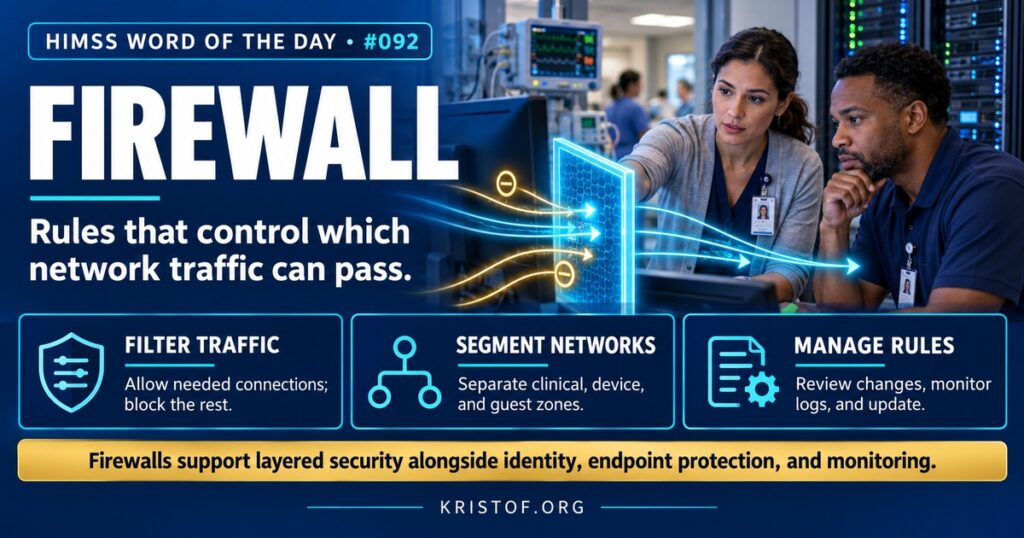
A firewall is a security system that controls which network traffic is allowed to pass between networks or devices. It examines connections and data against a set of rules and blocks anything that is not permitted.
The HIMSS Dictionary describes a firewall as a system that keeps unauthorized traffic from entering or leaving a network, and notes that firewalls can be built in hardware, in software, or in a combination of both.
Firewalls have evolved considerably:
| Firewall Type | How It Works | Healthcare Use |
|---|---|---|
| Packet-Filtering Firewall | Allows or blocks traffic based on addresses, ports, and protocols | Basic rules between network segments |
| Stateful Firewall | Tracks active connections and allows return traffic for approved sessions | Standard protection at the network edge |
| Next-Generation Firewall (NGFW) | Adds application awareness, user identity, intrusion prevention, and threat intelligence | Controlling which applications can reach clinical systems |
| Web Application Firewall (WAF) | Inspects web traffic to protect web applications from attacks | Protecting patient portals and public websites |
| Host-Based Firewall | Runs on an individual computer or server | Limiting connections to a workstation or server |
⚠️ Exam Alert: A firewall controls traffic based on rules. An intrusion detection system (IDS) detects suspicious activity, while an intrusion prevention system (IPS) can block it. A VPN creates an encrypted tunnel for remote access. Network segmentation uses firewalls and other controls to divide a network into zones. In Zero Trust, firewalls remain useful, but location on the network no longer grants trust.
🌐 Why It Matters: Real-World Healthcare IT Context
Hospital networks connect thousands of devices with very different security needs: EHR servers, workstations, imaging equipment, infusion pumps, building systems, staff phones, and guest devices. Firewalls help keep those groups apart so that a problem in one area does not spread easily to another.
Segmentation is one of the most important uses. Many medical devices run older software that cannot be patched quickly or protected with endpoint security tools. Placing them in their own network segment, with firewall rules that allow only the specific connections they need, such as communication with the EHR integration server, limits the damage if another part of the network is compromised.
NIST’s Guidelines on Firewalls and Firewall Policy, SP 800-41, recommends that organizations base firewall rules on a documented policy, deny traffic by default unless it is explicitly needed, and manage rules carefully over time.
Remote access deserves special attention. Vendors, remote staff, and telehealth clinicians all need ways into hospital systems, and each path is a potential entry point for attackers. Firewalls work together with VPNs, multifactor authentication, and tightly scoped access rules so that remote users reach only the systems they need. Many organizations have moved toward vendor access platforms that record sessions and require approval for each connection.
Firewalls have limits. They cannot stop an attacker who logs in with valid stolen credentials, a user who opens a malicious attachment, or an insider misusing legitimate access. Encrypted traffic can hide threats unless it is inspected. Rule sets also tend to grow over the years, accumulating outdated permissions that create gaps. That is why modern security programs combine firewalls with identity controls, endpoint protection, monitoring, and Zero Trust principles.
Common firewall weaknesses:
- Overly broad rules allowing more traffic than necessary
- Old rules never removed after systems change
- Flat internal networks with few internal firewalls
- Vendor remote access paths that bypass firewall controls
- Unmonitored logs that miss signs of attack
- Firewall devices themselves left unpatched
Practices for effective firewall use:
- Default-deny rules with documented business justification
- Regular rule reviews and cleanup
- Segmentation for medical devices, guest networks, and critical systems
- Change control for every rule modification
- Logging and monitoring integrated with security operations
- Timely updates to firewall software and threat signatures
🏥 The Nurse’s Perspective: Clinical, Bedside, & Workflow
Firewalls are invisible to most nurses, but their effects show up in daily work.
At the Bedside
When a medical device stops sending data to the EHR, or a newly purchased device cannot connect, the cause may be a firewall rule rather than a broken device. Reporting the issue with details, such as the device, location, and what stopped working, helps clinical engineering and network teams find the cause and adjust rules safely.
Guest Wi-Fi for patients and families is usually separated from clinical networks by firewalls. When patients ask why they cannot reach a hospital system from their own devices, that separation is intentional and protects clinical systems.
Telehealth platforms and cloud applications also depend on firewall rules. When a video visit will not connect from a particular clinic or a cloud tool is unusually slow, reporting the location and time helps network teams determine whether a rule or inspection setting is interfering.
In Clinical Workflow
Some websites or applications may be blocked on hospital computers. Nurses who need access to a legitimate clinical resource that is blocked can request a review through the help desk rather than using a personal device or an unapproved workaround, which could expose patient information.
Remote access, such as reviewing charts from home or using telehealth tools, typically passes through firewalls and VPNs with additional authentication. Following the approved remote access process keeps those connections secure.
Medical device replacements add similar work. When a unit receives new monitors or pumps, the devices may need new firewall rules to reach integration servers, so device projects and network teams should coordinate early.
In EHR Implementation (Go-Live Perspective)
During an Epic Go-Live, network teams configure firewall rules for new servers, interfaces, devices, and remote access paths. Missing or overly strict rules often appear as connection errors, such as a device that cannot reach the integration server or a printer that will not accept jobs.
At-the-elbow support analysts help by capturing exactly what failed, where, and when, so network teams can identify the blocked connection quickly. Testing connectivity from every clinical area before Go-Live reduces these surprises.
🎓 CAHIMS / CPHIMS & HIMSS Perspective
CAHIMS Exam Domain Mapping
Firewalls appear in infrastructure and security questions:
| CAHIMS Domain | How Firewalls Appear |
|---|---|
| Healthcare & Technology Environments | Threat landscape; HIPAA technical safeguards; medical device security |
| Clinical Informatics | Device connectivity; access to clinical resources; remote work |
| Healthcare Information & Systems Management | Firewall types, segmentation, rule management, VPNs, intrusion prevention |
| Management & Leadership | Security architecture, change control, vendor access policies, budgeting |
Key Terms to Know Alongside Firewall
- Network Segmentation — dividing a network into zones with controlled traffic between them
- Next-Generation Firewall (NGFW) — a firewall with application awareness, intrusion prevention, and identity-based rules
- Intrusion Prevention System (IPS) — a system that detects and blocks malicious network activity
- Virtual Private Network (VPN) — an encrypted connection that extends a private network over the internet
- Default Deny — a policy of blocking all traffic not explicitly permitted
- Zero Trust — a security approach that never grants trust based on network location alone
HIMSS Organizational Position
HIMSS addresses network security, including segmentation and firewall management, through its Healthcare Cybersecurity Community and its broader work on protecting connected medical devices. Members can find related education and research through the HIMSS Resource Center.
🔗 Explore Further: External References
- NIST — SP 800-41 Rev. 1, Guidelines on Firewalls and Firewall Policy https://csrc.nist.gov/pubs/sp/800/41/r1/final
- NIST — SP 800-207, Zero Trust Architecture https://csrc.nist.gov/pubs/sp/800/207/final
- HHS 405(d) Program — Health Industry Cybersecurity Practices https://405d.hhs.gov/
- FDA — Medical Device Cybersecurity https://www.fda.gov/medical-devices/digital-health-center-excellence/cybersecurity
- NIST — Cybersecurity Framework https://www.nist.gov/cyberframework
- HIMSS — Healthcare Cybersecurity Community https://www.himss.org/networking/communities/healthcare-cybersecurity/
Term source: HIMSS Dictionary of Health Information and Technology Terms, Acronyms, and Organizations, 6th Edition (2025). All definitions in this series are paraphrased for editorial purposes. Readers are encouraged to consult the primary source for exact language.
Eric Andrew Kristof, RN, CAHIMS is a Healthcare IT professional and HIMSS Arkansas Chapter member based in Hot Springs Village, AR, with hands-on Epic Go-Live experience and a diverse healthcare and IT background. He writes at kristof.org at the intersection of clinical care and healthcare technology.
Leave a Reply