By Eric Andrew Kristof, RN, CAHIMS | Healthcare IT Professional | HIMSS Arkansas Chapter Member
About This Series: The HIMSS Word of the Day is a running blog series drawing from the HIMSS Dictionary of Health Information and Technology Terms, Acronyms, and Organizations, 6th Edition (2025) — the authoritative reference for healthcare IT professionals and the primary study resource for CAHIMS and CPHIMS certification. Each post paraphrases the term in plain language, grounds it in real-world healthcare IT context, and adds a bedside nursing perspective you won’t find in a textbook.
📖 The Term: Human-Computer Interaction (HCI)
Source: HIMSS Dictionary of Health Information and Technology Terms, Acronyms, and Organizations, 6th Edition (2025)
🔍 Plain-Language Definition
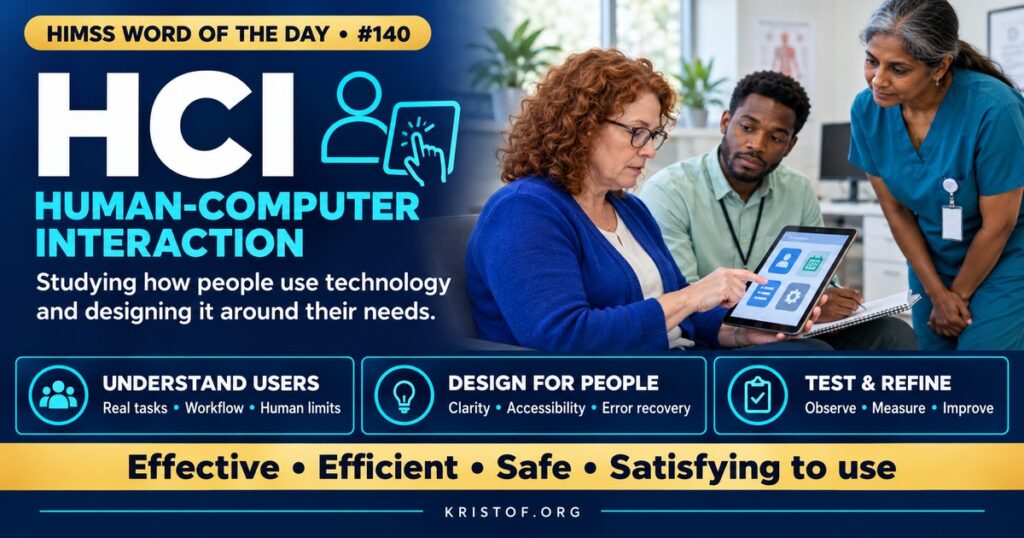
Human-computer interaction (HCI) is the multidisciplinary field that studies how people use computers and designs systems that are effective, efficient, safe, and satisfying to use. It draws on computer science, psychology, design, and human factors engineering.
The HIMSS Dictionary describes HCI as the study and intentional design of activities shared by people and computers. It notes that HCI considers productivity, safety, and enjoyment, that it applies to many kinds of systems, from air traffic control to office software and games, and that well-designed HCI systems are simple, safe, effective, and pleasant to use.
| HCI Concept | What It Means | Healthcare Example |
|---|---|---|
| Human Factors | Designing systems around human capabilities and limits | Medication screens that reduce reliance on memory |
| Usability | How effectively, efficiently, and satisfactorily users achieve goals | Documenting an assessment in few, logical steps |
| Cognitive Load | The mental effort a task requires | Too many alerts competing for attention |
| User-Centered Design | Involving users throughout design and testing | Nurses testing a new flowsheet before release |
| Error Tolerance | Designs that prevent, catch, or recover from mistakes | Confirming high-alert medication doses |
| Accessibility | Usable by people with varying abilities | Readable contrast and keyboard navigation |
⚠️ Exam Alert: HCI is the broad field studying interaction between people and computers. Usability is a quality attribute of a system. Human factors applies knowledge of human abilities and limitations to design. User experience (UX) covers the user’s overall experience, including perceptions and satisfaction.
🌐 Why It Matters: Real-World Healthcare IT Context
Clinical systems are used under pressure: interruptions, time constraints, fatigue, and high stakes. Designs that would be merely annoying in office software can contribute to harm in healthcare. Poor layout, confusing terminology, inconsistent workflows, and excessive alerts increase the chance of errors.
Research supports these concerns. A study of patient safety reports in and near Pennsylvania, published in JAMA in 2018, identified reports that explicitly linked possible patient harm to EHR usability issues, including problems with data entry, alerts, and display of information. Other research has highlighted wrong-patient errors, medication ordering mistakes, and missed results related to interface design.
HCI and human factors offer methods to improve design. Researchers and designers observe users in real settings, analyze tasks, create prototypes, and conduct usability tests in which representative users perform realistic tasks while designers measure errors, time, and satisfaction. Iterative design cycles refine systems before they reach patients.
Federal policy has incorporated these ideas. The ONC Health IT Certification Program includes safety-enhanced design requirements that ask developers to apply user-centered design processes and report usability testing for certain capabilities. NIST has conducted research and published guidance on health IT usability and human factors.
Local configuration matters as much as vendor design. Organizations build order sets, flowsheets, alerts, and screens within EHR platforms, and those choices can help or hinder usability. Applying HCI principles to local build, such as consistent layouts, meaningful defaults, and limiting interruptive alerts, can significantly improve clinician experience.
Usability also affects burnout and efficiency. Clinicians who spend long hours navigating complex interfaces report frustration and fatigue, and organizations have connected EHR usability to clinician well-being and retention.
Medical devices are part of the picture. Infusion pumps, monitors, and ventilators have their own interfaces, and confusing pump programming screens or alarm designs have been linked to errors. Human factors evaluation is part of FDA expectations for many devices, and hospitals increasingly consider usability when selecting equipment, not just features and price.
Emerging technologies raise new HCI questions. Voice interfaces, ambient documentation, mobile devices, and AI-generated suggestions change how clinicians interact with information. Designing these tools so users understand what the system is doing, can verify its outputs, and remain in control is an important HCI challenge.
Common HCI problems in clinical systems:
- Cluttered screens that hide important information
- Similar-looking patient names or medications in lists
- Excessive or poorly targeted alerts
- Inconsistent navigation across modules
- Free-text fields where structured choices would help
- Designs tested only by developers, not clinicians
HCI principles that improve clinical systems:
- Consistency in layout, terms, and actions
- Visibility of critical information
- Error prevention and clear recovery paths
- Minimizing memory load
- Meaningful, prioritized alerts
- Iterative testing with representative clinical users
🏥 The Nurse’s Perspective: Clinical, Bedside, & Workflow
Nurses interact with clinical technology more continuously than almost any other group, so HCI principles directly shape their work.
At the Bedside
Medication administration, documentation, monitoring, and device interaction all involve interfaces. When screens are clear and consistent, nurses can focus on patients. When they are confusing, nurses must compensate with extra vigilance, which is hard to sustain over a long shift.
Near misses related to technology, such as nearly selecting the wrong patient or misreading a dose display, are valuable design feedback. Reporting them through safety and informatics channels helps organizations fix interface problems rather than relying on individual caution.
In Clinical Workflow
Nurses can help identify where workflows and screens do not match real practice, such as documentation sequences that differ from how assessments are performed or alerts that fire at the wrong time. These observations drive optimization.
Participating in usability testing, design sessions, and super user programs gives nurses a direct role in improving systems. Organizations that involve nurses early tend to create tools that fit better and require fewer workarounds.
Nurse informaticists apply HCI methods, such as observing workflows, gathering feedback, and testing prototypes, when designing flowsheets, order sets, and dashboards.
Workarounds often signal design problems. When nurses create unofficial methods to complete tasks, investigating why can reveal opportunities to improve the system.
Accessibility deserves attention for staff as well as patients. Clinicians with visual, hearing, or motor differences benefit from adjustable displays, readable fonts, and keyboard alternatives, which often improve usability for everyone.
In EHR Implementation (Go-Live Perspective)
During an Epic Go-Live, organizations validate workflows with end users and adjust build to improve usability. Clinician involvement in testing helps catch confusing designs before Go-Live.
At-the-elbow support analysts observe how nurses actually interact with the new system and identify recurring confusion. Patterns, such as repeated difficulty finding a function, can lead to quick changes in layout, tip sheets, or training.
🎓 CAHIMS / CPHIMS & HIMSS Perspective
CAHIMS Exam Domain Mapping
HCI appears in clinical informatics, usability, and safety questions:
| CAHIMS Domain | How HCI Appears |
|---|---|
| Healthcare & Technology Environments | Certification safety-enhanced design; usability research |
| Clinical Informatics | Workflow fit, alert design, documentation burden, patient safety |
| Healthcare Information & Systems Management | User-centered design, usability testing, interface configuration |
| Management & Leadership | Clinician engagement, burnout, vendor selection criteria |
Key Terms to Know Alongside HCI
- Usability — the extent to which users can achieve goals effectively, efficiently, and satisfactorily
- Human Factors Engineering — applying knowledge of human capabilities and limits to design
- User-Centered Design — a design process that involves users throughout development
- Usability Testing — observing representative users performing realistic tasks with a system
- Cognitive Load — the mental effort required to complete a task
- Alert Fatigue — reduced response to alerts because of their volume or low relevance
HIMSS Organizational Position
HIMSS supports usable, safe health IT through education, research, and its focus on clinician experience and patient safety in technology design and optimization. Members can find related education and research through the HIMSS Resource Center.
🔗 Explore Further: External References
- Howe et al. (2018), JAMA — Electronic Health Record Usability Issues and Potential Contribution to Patient Harm https://pubmed.ncbi.nlm.nih.gov/29584833/
- NIST — Health IT Usability https://www.nist.gov/programs-projects/health-information-technology-usability
- ONC — SAFER Guides https://healthit.gov/clinical-quality-and-safety/safer-guides/
- Ratwani et al. (2018), Journal of the American Medical Informatics Association — A Usability and Safety Analysis of Electronic Health Records: A Multi-Center Study https://pubmed.ncbi.nlm.nih.gov/29982549/
- ACM SIGCHI — Special Interest Group on Computer-Human Interaction https://sigchi.org/
- HIMSS — Nursing Informatics Community https://www.himss.org/networking/communities/nursing-informatics/
Term source: HIMSS Dictionary of Health Information and Technology Terms, Acronyms, and Organizations, 6th Edition (2025). All definitions in this series are paraphrased for editorial purposes. Readers are encouraged to consult the primary source for exact language.
Eric Andrew Kristof, RN, CAHIMS is a Healthcare IT professional and HIMSS Arkansas Chapter member based in Hot Springs Village, AR, with hands-on Epic Go-Live experience and a diverse healthcare and IT background. He writes at kristof.org at the intersection of clinical care and healthcare technology.
Leave a Reply