By Eric Andrew Kristof, RN, CAHIMS | Healthcare IT Professional | HIMSS Arkansas Chapter Member
About This Series: The HIMSS Word of the Day is a running blog series drawing from the HIMSS Dictionary of Health Information and Technology Terms, Acronyms, and Organizations, 6th Edition (2025) — the authoritative reference for healthcare IT professionals and the primary study resource for CAHIMS and CPHIMS certification. Each post paraphrases the term in plain language, grounds it in real-world healthcare IT context, and adds a bedside nursing perspective you won’t find in a textbook.
📖 The Term: Infobutton
Source: HIMSS Dictionary of Health Information and Technology Terms, Acronyms, and Organizations, 6th Edition (2025)
🔍 Plain-Language Definition
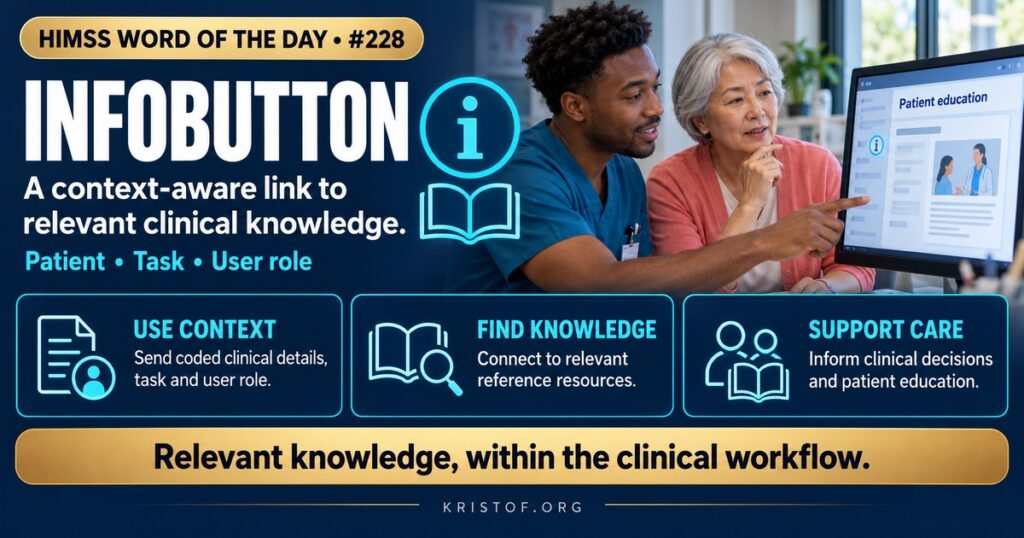
An infobutton is a context-aware link in an EHR or other clinical system that sends information about the clinical situation to a knowledge resource and returns relevant content. The HIMSS Dictionary describes the HL7 Context-Aware Knowledge Retrieval standard as the mechanism that lets EHR systems and knowledge resources talk to each other to provide infobutton capabilities.
The standard has several parts. The Knowledge Request specification is the normative foundation, modeling the domain and the message content, though it cannot be implemented on its own. The URL-Based Implementation Guide, Release 4, specifies how infobutton knowledge requests are written as URLs. The Service-Oriented Architecture implementation guide, Release 1, describes a RESTful approach in which the knowledge response is returned in XML and JSON.
| Component | What It Does | Example |
|---|---|---|
| Infobutton Manager | Receives the request and decides which resources to query | A service that selects a drug reference for a nurse |
| Knowledge Request | Packages context such as code, task, age, and user role | Request for patient education on a diagnosis |
| Knowledge Resource | Source of content | Drug monograph, guideline, MedlinePlus page |
| Knowledge Response | Returns a link or content | List of relevant pages |
| Context | Details about patient, task, and user | Medication code, patient age, nurse role |
⚠️ Exam Alert: The infobutton is the user-facing link, while HL7 Context-Aware Knowledge Retrieval is the standard behind it. Infobuttons send context, not a free-text search, so the same button can return different content for a nurse and a physician. They support decision-making and education but are not themselves alerts or orders.
🌐 Why It Matters: Real-World Healthcare IT Context
Clinicians have questions at the point of care that go unanswered: What is the usual dose range? What should be taught about this drug? Is this result relevant in pregnancy? Searching separately costs time, and the first results may not fit the situation. An infobutton shortens the path by using what the chart already knows. It sends the code for the medication or problem, along with details such as the patient’s age and sex, the task the user is performing, and the user’s role, to a knowledge service that returns targeted content.
The standard matters because without it, every EHR and every publisher would need a custom integration. HL7’s Context-Aware Knowledge Retrieval work defines a common request format, so an EHR can connect to many resources, and a resource can serve many EHRs. In the United States, EHR systems certified under the Meaningful Use program offered HL7-compliant infobutton capabilities, which helped make the feature widely available. An open source reference implementation called OpenInfobutton shows how the pieces fit together, and NLM’s MedlinePlus Connect accepts code-based requests from health IT systems and returns patient-oriented health information.
A 2017 systematic review in the Journal of Biomedical Informatics searched for studies of infobutton design and implementation. It found 82 original research studies, of which 12 met criteria for detailed review. Interviews with implementers showed the HL7 Infobutton standard to be simple and easy to implement. User experience studies found that access to resources users were familiar with raised satisfaction, and that links to specific subsections of drug monographs improved information-seeking efficiency, but none of the improvements led to increased use. Recommender approaches based on machine learning outperformed hand-written rules in a laboratory setting, though none had been tested in clinical practice. The authors concluded that the standard has supported wide adoption but that best practices for design and implementation remain understudied and that more research is needed to increase use and effectiveness. In short, the plumbing works, and the open question is how to make people want to click.
Other work shows the pattern extending into new areas. A group integrating genomic knowledge with EHRs built a search interface on OpenInfobutton and found eight genomic resources and two sub-resources could be connected through the standard, and that the main gap to compliance was adoption of the standard terminologies EHRs use. That finding highlights a general lesson: infobuttons depend on well-coded data. If the medication or problem entry is free text or a local code, the request cannot be matched to the right content.
Implementation choices drive success. Teams decide which resources to connect, how to rank them for different roles, where to place the button, and whether to allow local content such as policies and order sets. A librarian or knowledge manager often helps select and tailor resources. Monitoring clicks, asking users what they wish they could find, and retiring unused links keep the feature relevant.
Common infobutton problems:
- Buttons placed where users do not notice or do not expect them
- Resources that do not match local formulary or practice
- Poor coding of medications and problems, producing weak matches
- Slow response that breaks the flow of work
- Content licensed for physicians but not available to nurses
- No maintenance as resources and URLs change
What supports effective infobuttons:
- Standard terminologies for medications, problems, and results
- Role-specific resource lists, including nursing and patient education content
- Collaboration with librarians and knowledge managers
- Usage monitoring and feedback from clinicians
- Links to local policies, order sets, and procedures
- Regular review of resource availability and links
🏥 The Nurse’s Perspective: Clinical, Bedside, & Workflow
For nurses, infobuttons are a quiet way to bring evidence and patient teaching content into the flow of care.
At the Bedside
When a nurse prepares a medication, a context-aware link can open a drug reference without leaving the chart. A diagnosis link can lead to patient education written in plain language, which can be printed or shared during discharge teaching. These links save time, but only when they return content that is practical for nursing needs rather than only physician-level detail.
If a link returns something unhelpful or leads to a dead page, reporting it gives the informatics team what they need to fix the connection.
In Clinical Workflow
Nurse educators and practice councils can request that infobuttons point to the references nurses actually use, including nursing procedure resources and patient education libraries. Nurse leaders can also ask for links to local policy and procedure content so the answer reflects how the organization practices.
Nurse informaticists partner with librarians and the CMIO to evaluate resources, test role-specific results, and check that terminology on nursing documentation screens is coded well enough for requests to work.
In EHR Implementation (Go-Live Perspective)
An Epic Go-Live typically includes configuring knowledge links and patient education content. Analysts test that links appear in the right screens and open the right content for nurse and provider roles. At-the-elbow support analysts show users where the information icons are and note which links are used or ignored, which feeds the optimization plan.
🎓 CAHIMS / CPHIMS & HIMSS Perspective
CAHIMS Exam Domain Mapping
Infobuttons appear in standards, decision support, and knowledge management questions:
| CAHIMS Domain | How Infobuttons Appear |
|---|---|
| Healthcare & Technology Environments | HL7 standards, certification criteria, knowledge resources |
| Clinical Informatics | Point-of-care information needs, evidence use, patient education |
| Healthcare Information & Systems Management | Integration, terminology, performance, maintenance |
| Management & Leadership | Resource licensing, governance of knowledge content |
Key Terms to Know Alongside the Infobutton
- HL7 Context-Aware Knowledge Retrieval — standard for context-based knowledge requests from clinical systems
- OpenInfobutton — open source reference implementation of the standard
- MedlinePlus Connect — NLM service that returns health information in response to code-based requests
- Knowledge Resource — source of reference content for clinicians or patients
- Clinical Decision Support — tools that provide knowledge and patient-specific information at the right time
- Terminology Binding — linking data fields to standard code sets
HIMSS Organizational Position
HIMSS supports standards-based interoperability and effective clinical decision support through its education, research, and communities. Members can find related resources through the HIMSS Resource Center.
🔗 Explore Further: External References
- HL7 — Context-Aware Knowledge Retrieval Application (Infobutton), Release 4 https://www.hl7.org/implement/standards/product_brief.cfm?product_id=22
- OpenInfobutton https://www.openinfobutton.org/
- NLM — MedlinePlus Connect https://medlineplus.gov/medlineplus-connect/
- Teixeira et al. (2017), Journal of Biomedical Informatics — Optimization of Infobutton Design and Implementation: A Systematic Review https://pubmed.ncbi.nlm.nih.gov/28838801/
- Heale et al. (2016), Applied Clinical Informatics — Integrating Genomic Resources with Electronic Health Records Using the HL7 Infobutton Standard https://pubmed.ncbi.nlm.nih.gov/27579472/
- ONC — Clinical Decision Support https://healthit.gov/clinical-quality-and-safety/clinical-decision-support/
Term source: HIMSS Dictionary of Health Information and Technology Terms, Acronyms, and Organizations, 6th Edition (2025). All definitions in this series are paraphrased for editorial purposes. Readers are encouraged to consult the primary source for exact language.
Eric Andrew Kristof, RN, CAHIMS is a Healthcare IT professional and HIMSS Arkansas Chapter member based in Hot Springs Village, AR, with hands-on Epic Go-Live experience and a diverse healthcare and IT background. He writes at kristof.org at the intersection of clinical care and healthcare technology.
Leave a Reply