By Eric Andrew Kristof, RN, CAHIMS | Healthcare IT Professional | HIMSS Arkansas Chapter Member
About This Series: The HIMSS Word of the Day is a running blog series drawing from the HIMSS Dictionary of Health Information and Technology Terms, Acronyms, and Organizations, 6th Edition (2025) — the authoritative reference for healthcare IT professionals and the primary study resource for CAHIMS and CPHIMS certification. Each post paraphrases the term in plain language, grounds it in real-world healthcare IT context, and adds a bedside nursing perspective you won’t find in a textbook.
📖 The Term: Data Visualization
Source: HIMSS Dictionary of Health Information and Technology Terms, Acronyms, and Organizations, 6th Edition (2025)
🔍 Plain-Language Definition
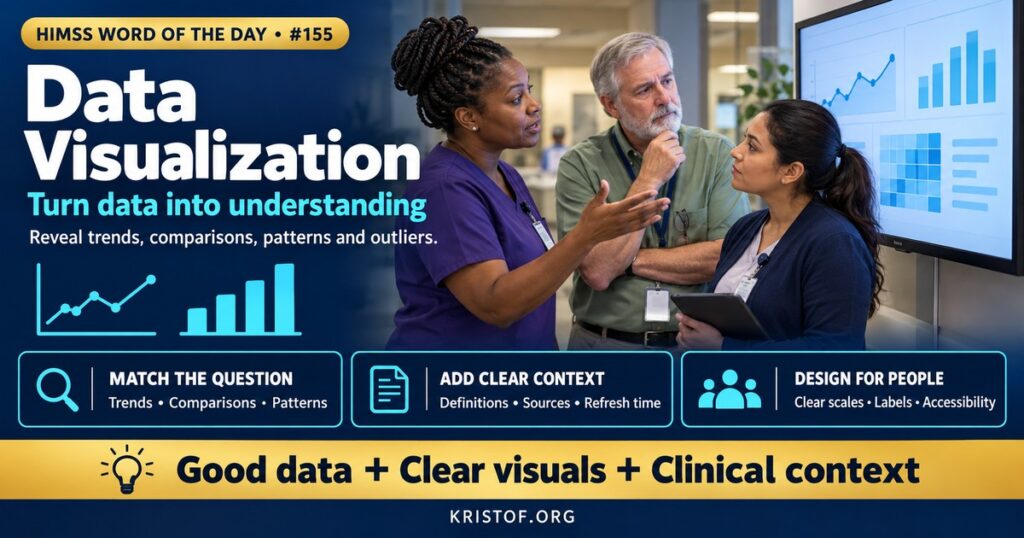
Data visualization is the practice of representing data graphically, through charts, graphs, maps, and dashboards, so that people can quickly understand patterns, trends, comparisons, and outliers.
The HIMSS Dictionary describes data visualization as presenting data in a pictorial or graphical format so decision-makers can see analytics visually, understand difficult concepts, and recognize new patterns or trends.
| Visualization Type | Best For | Healthcare Example |
|---|---|---|
| Line or Run Chart | Trends over time | Monthly fall rate on a unit |
| Control Chart | Distinguishing normal variation from special causes | Hand hygiene compliance with control limits |
| Bar Chart | Comparing categories | Readmission rates by service line |
| Heat Map | Showing intensity across two dimensions | Emergency department arrivals by hour and day |
| Geographic Map | Location-based patterns | Vaccination rates by ZIP code |
| Dashboard | Combining key metrics for monitoring | A unit dashboard with census, staffing, and quality measures |
⚠️ Exam Alert: A dashboard displays key metrics at a glance, often updated regularly. A report provides detailed data, often tabular. Run charts show trends over time; control charts add statistical control limits to distinguish common-cause from special-cause variation. Business intelligence refers to the broader tools and processes for gathering and analyzing data.
🌐 Why It Matters: Real-World Healthcare IT Context
Healthcare generates enormous amounts of data, from vital signs and lab results to census, staffing, claims, and quality measures. Raw numbers in tables are hard to interpret quickly, especially under time pressure. Visualization turns data into something people can grasp at a glance and act on.
Clinical visualization supports care at the bedside. Trend graphs of vital signs, lab values, and fluid balance help clinicians recognize deterioration. Early warning score displays and sepsis dashboards highlight patients who need attention. Well-designed patient summaries bring together the information clinicians need without excessive clicking.
Operational dashboards support flow and capacity. Bed boards, emergency department tracking displays, discharge milestone views, and staffing dashboards help leaders and charge nurses manage throughput in real time.
Quality and population health rely on visualization. Run charts and control charts are core tools in quality improvement, showing whether changes lead to improvement. Population health dashboards show care gaps, risk levels, and outcomes across patient groups, often drawing on big data platforms and data warehouses.
Evidence on dashboards is encouraging but variable. A systematic review in JAMIA Open of digital dashboards in hospital inpatient care found that many studies reported reduced length of stay and costs, with mixed effects on mortality and harms, and concluded that real impact depends on local factors such as workflow integration. A scoping review of healthcare dashboards found that only about half involved end users in design and few reported formal usability testing.
Design determines whether visuals help or mislead. Good visualizations choose the right chart for the question, use consistent scales, avoid unnecessary decoration, highlight what matters, and provide context such as targets or benchmarks. Truncated axes, inconsistent colors, crowded displays, and three-dimensional effects can distort interpretation.
Accessibility matters. Color alone should not convey meaning, because many people have color vision deficiencies. Federal Section 508 standards require accessible electronic information for federal agencies and influence accessibility practices more broadly.
Interactivity adds power and risk. Filters, drill-downs, and self-service tools let users explore data on their own, but they also let users build misleading comparisons or draw conclusions from small numbers. Training in basic data literacy, such as understanding rates versus counts, variation, and sample size, helps people interpret visuals correctly. Organizations often pair self-service analytics with certified, governed dashboards for key metrics.
Data quality underlies everything. A beautiful dashboard built on incomplete or inconsistent data will mislead. Clear definitions, data lineage, and refresh timing should accompany dashboards so users understand what they are seeing.
Common visualization pitfalls:
- Too many metrics on one dashboard
- Misleading scales or truncated axes
- Color as the only signal for meaning
- No definitions, targets, or context
- Data that is outdated or of unknown quality
- Dashboards built without user input
Principles of effective healthcare visualization:
- Start with the decision or question the visual supports
- Choose chart types that fit the data
- Highlight exceptions and trends that need action
- Provide definitions, data sources, and refresh times
- Design with accessibility in mind
- Test with intended users and refine
🏥 The Nurse’s Perspective: Clinical, Bedside, & Workflow
Nurses use visual data constantly, from vital sign trends to unit quality boards.
At the Bedside
Graphical trends of vital signs, intake and output, pain scores, and lab results help nurses spot changes that might be missed in a list of numbers. Accurate, timely documentation ensures these graphs reflect the patient’s true condition.
Early warning displays and patient status boards draw attention to patients at risk. Nurses who understand how scores are calculated can interpret them in context rather than relying on color alone.
In Clinical Workflow
Charge nurses use bed boards, staffing dashboards, and discharge views to manage assignments and flow. When dashboard data does not match reality, such as a bed marked clean that is not ready, reporting the discrepancy improves everyone’s view.
Unit quality boards display measures such as falls, pressure injuries, catheter-associated infections, and patient experience. Run charts help teams see whether improvement efforts are working and celebrate progress.
Nurse leaders use dashboards to monitor staffing, overtime, turnover, and quality, and to communicate performance to staff and executives.
Nurse informaticists often help design clinical and operational dashboards, bringing knowledge of workflows and what information nurses actually need.
Patient-facing visuals matter too. Portals that graph lab results or home readings help patients understand their health, and nurses can explain what trends mean and when to call.
In EHR Implementation (Go-Live Perspective)
During an Epic Go-Live, organizations configure patient lists, status boards, and operational dashboards. Validating that the right columns, alerts, and colors appear for each role helps nurses work efficiently from the first day.
At-the-elbow support analysts help nurses personalize patient lists and find dashboards, and gather feedback on displays that are confusing or missing key information.
🎓 CAHIMS / CPHIMS & HIMSS Perspective
CAHIMS Exam Domain Mapping
Data visualization appears in analytics and decision support questions:
| CAHIMS Domain | How Data Visualization Appears |
|---|---|
| Healthcare & Technology Environments | Analytics trends; accessibility standards; public reporting |
| Clinical Informatics | Clinical trend displays, early warning dashboards, unit quality boards |
| Healthcare Information & Systems Management | Business intelligence tools, data sources, refresh, data quality |
| Management & Leadership | Performance monitoring, quality improvement, communication of results |
Key Terms to Know Alongside Data Visualization
- Dashboard — a visual display of key metrics for monitoring
- Run Chart — a line graph showing data over time
- Control Chart — a run chart with statistical limits for detecting special-cause variation
- Business Intelligence (BI) — tools and processes for gathering and analyzing organizational data
- Key Performance Indicator (KPI) — a measure used to track progress toward goals
- Data Literacy — the ability to read, interpret, and communicate with data
HIMSS Organizational Position
HIMSS supports data-driven decision-making through its analytics education, research, and resources on using data to improve care and operations. Members can find related education and research through the HIMSS Resource Center.
🔗 Explore Further: External References
- Coiera et al. (2025), JAMIA Open — Clinical and Economic Impact of Digital Dashboards on Hospital Inpatient Care: A Systematic Review https://pubmed.ncbi.nlm.nih.gov/40718761/
- Helminski et al. (2024), JMIR Medical Informatics — Development, Implementation, and Evaluation Methods for Dashboards in Health Care: Scoping Review https://pubmed.ncbi.nlm.nih.gov/39656991/
- Institute for Healthcare Improvement — Model for Improvement https://www.ihi.org/library/model-for-improvement
- AHRQ — Data and Analytics https://www.ahrq.gov/data/index.html
- Section508.gov — Accessibility Requirements https://www.section508.gov/
- HIMSS — Nursing Informatics Community https://www.himss.org/networking/communities/nursing-informatics/
Term source: HIMSS Dictionary of Health Information and Technology Terms, Acronyms, and Organizations, 6th Edition (2025). All definitions in this series are paraphrased for editorial purposes. Readers are encouraged to consult the primary source for exact language.
Eric Andrew Kristof, RN, CAHIMS is a Healthcare IT professional and HIMSS Arkansas Chapter member based in Hot Springs Village, AR, with hands-on Epic Go-Live experience and a diverse healthcare and IT background. He writes at kristof.org at the intersection of clinical care and healthcare technology.
Leave a Reply