By Eric Andrew Kristof, RN, CAHIMS | Healthcare IT Professional | HIMSS Arkansas Chapter Member
About This Series: The HIMSS Word of The Day is a running blog series drawing from the HIMSS Dictionary of Health Information and Technology Terms, Acronyms, and Organizations, 6th Edition (2025) — the authoritative reference for healthcare IT professionals and the primary study resource for CAHIMS and CPHIMS certification. Each post paraphrases the term in plain language, grounds it in real-world healthcare IT context, and adds a bedside nursing perspective you won’t find in a textbook.
📖 The Term: UI (User Interface)
Source: HIMSS Dictionary of Health Information and Technology Terms, Acronyms, and Organizations, 6th Edition (2025)
🔍 Plain-Language Definition
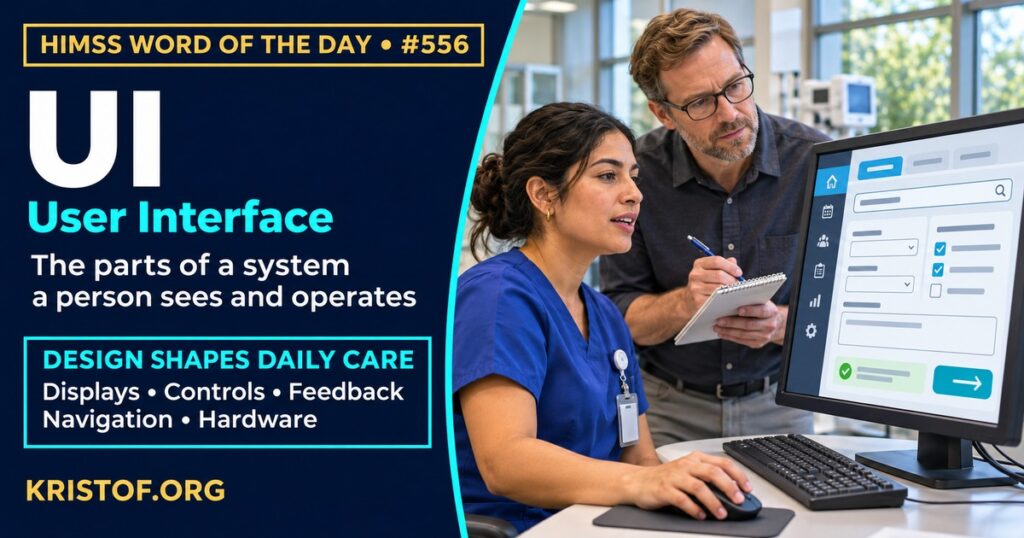
The HIMSS Dictionary describes the user interface (UI) as everything built into an information device that a person can interact with. That includes display screens, keyboards, a mouse, and how a desktop looks, as well as the way someone interacts with an application or a website.
In health IT, the UI is what a nurse, physician, or patient actually meets: the layout of a medication list, the wording of a warning, the order of fields in a form, and the feedback the system gives after a click. Because two systems with the same underlying data can feel very different to use, the UI is a main place where design choices turn into workload, errors, or safety.
| Part of the UI | Examples in an EHR |
|---|---|
| Display | Medication lists, flowsheets, banners, color and font choices |
| Controls | Drop-downs, checkboxes, search boxes, buttons, touch gestures |
| Feedback | Confirmation messages, error text, alerts, progress indicators |
| Navigation | Menus, tabs, shortcuts, order of screens in a task |
| Hardware | Keyboards, mice, barcode scanners, tablets, workstation monitors |
The table is a teaching sketch and not an official taxonomy.
⚠️ Exam Alert: The UI is the part of a system a person sees and operates. UX (user experience) is the whole experience of using the system, and usability is a measured quality such as how easily and safely tasks are done. In health IT, an interface can also mean a system-to-system connection, such as an HL7 feed, which is a different idea from a UI. HIMSS offers CAHIMS and CPHIMS.
🌐 Why It Matters: Real-World Healthcare IT Context
Screen design can look like a matter of taste, but the sources below treat it as a safety and workload issue. Each was checked against its published abstract, and the type of study is noted.
A professional body’s recommendations. Middleton and colleagues, in the Journal of the American Medical Informatics Association (2013), report the work of an AMIA task force that included academic and vendor members. After reviewing the literature and vendor experience, the task force made 10 recommendations in four areas: human factors research, health IT policy, industry practice, and advice for clinician users. This is a consensus guideline, not a trial, and it is more than a decade old.
Safety reports about children. Ratwani and colleagues, in Health Affairs (2018), analyzed 9,000 patient safety reports from three institutions, filed from 2012 to 2017, that were likely related to EHR use in pediatric care. Of these, 3,243 reports, or 36 percent, had a usability issue that contributed to a medication event, and 609 of those (18.8 percent) might have resulted in patient harm. The most common usability challenges involved system feedback and the visual display, and the most common error was improper dosing. The reports are voluntary and the study cannot show how often errors occur overall.
Interface design and prescribing. MacKenna and colleagues, in the Journal of Medical Internet Research (2020), looked at 2,575,411 prescriptions in English primary care in 2018 for three drugs where national guidance advises prescribing by brand name. About 12.27 percent of prescriptions (316,119) breached the guidance, and breaches occurred in every EHR system, though rates differed by system, with the highest in one system at roughly 18 percent for two of the drug groups. The authors conclude that design choices in EHR systems strongly influence safe prescribing. This is a retrospective cohort study in one country, so the findings may not transfer to other health systems.
What nurses report. Park and colleagues, in CIN: Computers, Informatics, Nursing (2024), reviewed studies of nurses’ perceptions of EHR usability through the lens of satisfaction, performance, and safety. They found 549 studies and included 21, mostly using validated questionnaires with hospital-based nurses. Studies measured performance most often, and only four addressed safety-related aspects of usability. The authors conclude that EHR redesign is needed and that future work should address all three goals.
Alert displays. Long and colleagues, in Critical Care Nurse (2018), surveyed 43 nurses in two sessions about a novel user interface for a sepsis decision support system. Participants preferred alerts based on an established treatment protocol, shown as pop-ups, and focused on the patient’s clinical condition and not on regulatory guidelines. The sample was small and the study measured preferences, not outcomes.
Vendor practice. Hettinger and colleagues, in the Journal of the American Medical Informatics Association (2021), asked four EHR vendors to describe their usability practices. All four described user-centered design and usability testing that showed advancement over earlier studies, with areas for improvement in safety focus and in measurement and benchmarking. The study relies on vendors’ own written descriptions and covers only four vendors.
Together, the sources suggest that UI choices relate to medication safety and nurse workload, that the evidence is mostly observational, and that design practice is improving but still has gaps.
Common user interface problems:
- Weak or missing feedback after an action
- Crowded displays where key information is easy to miss
- Drop-downs or defaults that steer users toward unsafe choices
- Alerts that interrupt without telling the user what to do
- Inconsistent layouts across modules or devices
- Customization that varies by user and is not reviewed for safety
What supports a safe, usable interface:
- User-centered design with real clinicians involved
- Usability testing before and after go-live
- Clear feedback and error messages
- Alerts tied to protocols and to the patient’s condition
- Safety review of defaults and order of choices
- Ongoing measurement of safety and burden, and not only satisfaction
🏥 The Nurse’s Perspective: Clinical, Bedside, & Workflow
Nurses spend much of a shift looking at screens, so UI design shapes both speed and safety.
At the Bedside
A medication screen that makes the next step obvious helps a nurse stay focused on the patient. A screen that hides a key piece of information, or gives no feedback after a click, forces extra checks or workarounds. The pediatric safety reports show that feedback and visual display problems appear among medication events, which is why nurses’ observations of near misses are useful design data.
In Clinical Workflow
Nurses often work across several screens in one task: orders, documentation, results, and communication. Where the layout matches the order of work, tasks go faster. Where it does not, nurses build their own routes through the system. Nurse informaticists can gather those routes and bring them to design teams as examples of what the UI should support.
In EHR Implementation (Go-Live Perspective)
During an Epic Go-Live, analysts at the elbow hear UI questions all day: “where did that button go?” and “why is this field red?” Many are training issues, but patterns point to design. Logging the screen, the task, and the exact wording nurses use lets the build team separate one-time confusion from a layout that needs to change.
🎓 CAHIMS / CPHIMS & HIMSS Perspective
CAHIMS Exam Domain Mapping
The user interface connects design, safety, and daily work:
| CAHIMS Domain | How the UI Appears |
|---|---|
| Healthcare & Technology Environments | Human factors and vendor design practices |
| Clinical Informatics | Screens, alerts, and ordering workflows that support or hinder care |
| Healthcare Information & Systems Management | Usability testing, personalization, and feedback from users |
| Management & Leadership | Governance of design changes and measurement of safety and burden |
Key Terms to Know Alongside the UI
- Usability — how effectively, efficiently, and satisfactorily users can accomplish tasks
- Usability testing — evaluation of a system by observing users as they complete tasks
- Human–Computer Interaction — field that studies how people interact with computers
- User experience — overall experience of a person using a product or system
- Alert fatigue — reduced response to alerts after exposure to too many
- Interface — connection point between systems or between a system and a user
HIMSS Organizational Position
HIMSS offers education and research on health information and technology topics through its Resource Center. Members can find related information on the HIMSS Resource Center page.
🧭 More HIMSS Word of The Day Terms
Related terms in the Clinical Informatics series:
- Clinical Decision Support System (CDSS)
- Medical Device Interface (MDI)
- Digital Radiography
- PNDS (Perioperative Nursing Data Set)
Browse all Clinical Informatics terms or the A–Z glossary.
🔗 Explore Further: External References
- Middleton et al. (2013), Journal of the American Medical Informatics Association : JAMIA — Enhancing patient safety and quality of care by improving the usability of electronic health record systems: recommendations from AMIA https://pubmed.ncbi.nlm.nih.gov/23355463/
- Ratwani et al. (2018), Health affairs (Project Hope) — Identifying Electronic Health Record Usability And Safety Challenges In Pediatric Settings https://pubmed.ncbi.nlm.nih.gov/30395517/
- MacKenna et al. (2020), Journal of medical Internet research — Impact of Electronic Health Record Interface Design on Unsafe Prescribing of Ciclosporin, Tacrolimus, and Diltiazem: Cohort Study in English National Health Service Primary Care https://pubmed.ncbi.nlm.nih.gov/33064085/
- Park et al. (2024), Computers, informatics, nursing : CIN — A Systematic Review of Nurses’ Perceptions of Electronic Health Record Usability Based on the Human Factor Goals of Satisfaction, Performance, and Safety https://pubmed.ncbi.nlm.nih.gov/38191474/
- Long et al. (2018), Critical care nurse — Evaluation of User-Interface Alert Displays for Clinical Decision Support Systems for Sepsis https://pubmed.ncbi.nlm.nih.gov/30068720/
- Hettinger et al. (2021), Journal of the American Medical Informatics Association : JAMIA — Advancing electronic health record vendor usability maturity: Progress and next steps https://pubmed.ncbi.nlm.nih.gov/33517394/
- HIMSS — Resource Center https://www.himss.org/resource-center
Term source: HIMSS Dictionary of Health Information and Technology Terms, Acronyms, and Organizations, 6th Edition (2025). All definitions in this series are paraphrased for editorial purposes. Readers are encouraged to consult the primary source for exact language.
Eric Andrew Kristof, RN, CAHIMS is a Healthcare IT professional and HIMSS Arkansas Chapter member based in Hot Springs Village, AR, with hands-on Epic Go-Live experience and a diverse healthcare and IT background. He writes at kristof.org at the intersection of clinical care and healthcare technology.
Leave a Reply