By Eric Andrew Kristof, RN, CAHIMS | Healthcare IT Professional | HIMSS Arkansas Chapter Member
About This Series: The HIMSS Word of the Day is a running blog series drawing from the HIMSS Dictionary of Health Information and Technology Terms, Acronyms, and Organizations, 6th Edition (2025) — the authoritative reference for healthcare IT professionals and the primary study resource for CAHIMS and CPHIMS certification. Each post paraphrases the term in plain language, grounds it in real-world healthcare IT context, and adds a bedside nursing perspective you won’t find in a textbook.
📖 The Term: Picture Archiving and Communication System (PACS)
Source: HIMSS Dictionary of Health Information and Technology Terms, Acronyms, and Organizations, 6th Edition (2025)
🔍 Plain-Language Definition
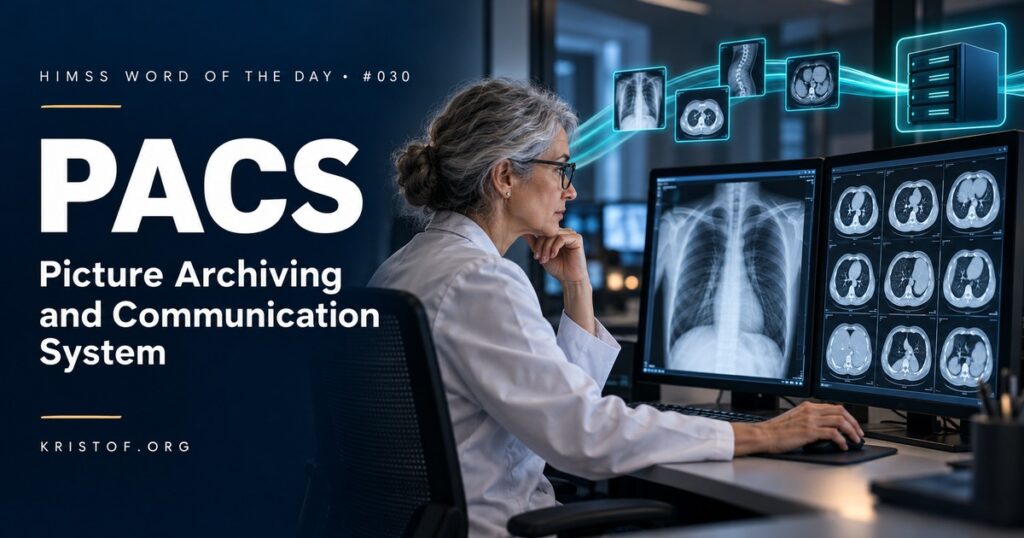
A picture archiving and communication system (PACS) is the technology that stores medical images, retrieves them on demand, displays them for interpretation, and shares them with the clinicians who need them.
The HIMSS Dictionary describes PACS as imaging technology that handles the images produced by modalities such as x-ray, CT, MRI, and ultrasound equipment. It notes that the DICOM standard is what usually allows those images, and related clinical information, to move between PACS and other information systems, and it points readers to the radiology information system (RIS) as a closely related term.
Before PACS, images lived on film. Films were developed, hung on light boxes, carried between departments, filed in jackets, and sometimes lost. PACS replaced that physical process with a digital one, so a single study can be viewed at the same time by a radiologist, an emergency physician, and a surgeon in different buildings.
A typical PACS has four building blocks:
| Component | What It Does | Example |
|---|---|---|
| Acquisition (Modalities) | Captures images and sends them in DICOM format | CT scanner, digital x-ray room, ultrasound cart |
| Network and Interfaces | Moves images and order information between systems | DICOM transfers, modality worklist, HL7 orders and results |
| Archive (Storage) | Keeps images safely for retrieval, often with long-term and disaster recovery copies | On-premises storage, cloud archive, vendor neutral archive |
| Display (Viewers) | Presents images for reading and review | Radiologist diagnostic workstation, web viewer launched from the EHR |
⚠️ Exam Alert: Keep the imaging family straight. PACS stores and displays the images. The RIS manages the radiology department workflow, including scheduling, tracking, and reports. DICOM is the standard for image format and communication, while HL7 typically carries orders and results between the EHR and the RIS. A vendor neutral archive (VNA) stores images in a standard format that is independent of any one PACS vendor. Expect a question that asks which system does which job.
🌐 Why It Matters: Real-World Healthcare IT Context
Imaging touches almost every patient journey, from a chest x-ray in urgent care to serial CT scans in oncology. PACS sits at the center of that work, and it depends on a chain of systems working together.
The chain usually starts with an order in the EHR. The order flows to the RIS, which schedules the exam and publishes it to a modality worklist. The technologist selects the patient from that worklist on the scanner, so the patient name, medical record number, and accession number are written into every image automatically. Images then travel to PACS, the radiologist reads them, the report returns to the EHR, and a link lets clinicians open the images from the chart. Integration profiles from IHE, such as its radiology workflow profiles, describe how these hand-offs should work so that different vendors’ products fit together.
PACS has also grown beyond radiology. Health systems now speak of enterprise imaging, which brings cardiology, pathology slides, dermatology and wound photos, endoscopy video, ophthalmology images, and point-of-care ultrasound into a common strategy. Many organizations add a VNA so images can outlive any single viewing application and be shared across facilities.
Imaging is also where much clinical artificial intelligence lives. Radiology accounts for the largest share of the AI-enabled medical devices on FDA’s public list, and many of those tools plug into the PACS reading workflow to flag findings or prioritize worklists.
Common failure points in imaging workflow:
- Images captured without a worklist entry, which creates unmatched studies or images filed to the wrong patient
- Order and accession mismatches between the EHR, RIS, and PACS
- Slow image retrieval from long-term storage when prior studies are needed for comparison
- Viewer access problems caused by security roles, browser settings, or missing launch configuration
- Outside images arriving on discs or portals that are hard to import and reconcile
- Storage growth and migration costs when a PACS is replaced
Characteristics of a well-run imaging environment:
- Orders and worklists that drive every exam, so images are labeled correctly at the source
- Standards-based storage, often in a VNA, with tested backup and recovery
- Fast access to prior studies for comparison reading
- Image links that open in context from the EHR without a second login
- Clear processes for importing outside images and correcting misfiled studies
- Cybersecurity controls for imaging devices and image-sharing connections
🏥 The Nurse’s Perspective: Clinical, Bedside, & Workflow
Nurses rarely log into PACS directly, yet they help make imaging accurate and timely for nearly every patient who needs a scan.
At the Bedside
Before an imaging study, nurses confirm patient identity, check that the right exam is ordered, screen for contrast allergies and kidney function concerns, place or confirm IV access, and coordinate transport or portable imaging. In the ICU, a portable chest x-ray is often ordered to confirm line or tube placement, and the nurse may be waiting on that image before the line can be used.
Nurses also use images directly. A nurse may open a recent chest x-ray from the chart while discussing a change in respiratory status, or use point-of-care ultrasound to guide a difficult IV start where that practice is supported. In wound care, photos taken on an approved mobile device can be stored as part of the enterprise imaging record so the wound can be compared over time.
In Clinical Workflow
Imaging safety depends on correct identification at every step. A wrong-patient order, an exam performed without a worklist entry, or a photo uploaded to the wrong encounter can all place images in the wrong record. Nurses are often the ones who notice when a result does not match the patient in front of them.
Critical imaging findings also travel through nurses. When a radiologist calls with an urgent result, the nurse who receives it documents the communication and makes sure the responsible provider acts on it.
In EHR Implementation (Go-Live Perspective)
During an Epic Go-Live, imaging integration is one of the areas that generates early support calls. Clinicians report that images will not open from the chart, that a study shows as complete but has no images, or that a prior exam from another facility is missing. At-the-elbow support analysts learn to check the basics first: the user’s security role, the image viewer launch setup, browser pop-up settings, and whether the exam was performed against the correct order.
Order build matters as well. When imaging orders, procedure codes, and RIS scheduling are mapped correctly, the modality worklist populates and technologists stop typing patient details by hand. Downtime planning should cover imaging too, including how images are viewed and how orders are tracked when the EHR or the interface is unavailable.
🎓 CAHIMS / CPHIMS & HIMSS Perspective
CAHIMS Exam Domain Mapping
PACS appears across the CAHIMS domains as a classic example of a departmental clinical system:
| CAHIMS Domain | How PACS Appears |
|---|---|
| Healthcare & Technology Environments | Departmental versus enterprise systems; imaging in the care continuum; AI tools in radiology |
| Clinical Informatics | Imaging orders, critical results, image access from the EHR, enterprise imaging workflows |
| Healthcare Information & Systems Management | DICOM, HL7 interfaces, modality worklists, RIS integration, storage, VNAs, and backup and recovery |
| Management & Leadership | PACS replacement and data migration, storage cost planning, vendor management, imaging governance |
Key Terms to Know Alongside PACS
- DICOM (Digital Imaging and Communications in Medicine) — the international standard for the format and exchange of medical images and related information
- RIS (Radiology Information System) — the system that manages radiology scheduling, tracking, reporting, and related workflow
- VNA (Vendor Neutral Archive) — an archive that stores images in standard formats independent of any one viewing vendor
- Modality Worklist — a list of scheduled exams sent to imaging equipment so patient and order details are applied automatically
- Enterprise Imaging — a strategy for managing images from all departments, not just radiology, in a common framework
- Accession Number — the unique identifier that ties an imaging order, its images, and its report together
HIMSS Organizational Position
HIMSS works with the Society for Imaging Informatics in Medicine (SIIM) through the HIMSS-SIIM Enterprise Imaging Community, which brings together clinicians, informaticists, and IT leaders working to manage images across the whole health system rather than one department at a time. Members can find related education and research through the HIMSS Resource Center.
🔗 Explore Further: External References
- DICOM Standard — About DICOM https://www.dicomstandard.org/about
- IHE International — Radiology Domain https://www.ihe.net/ihe_domains/radiology/
- Society for Imaging Informatics in Medicine (SIIM) https://siim.org/
- RSNA — Data Tools and Standards https://www.rsna.org/practice-tools/data-tools-and-standards
- HIMSS — HIMSS-SIIM Enterprise Imaging Community https://www.himss.org/networking/communities/himss-siim-enterprise-imaging/
- FDA — Artificial Intelligence-Enabled Medical Devices https://www.fda.gov/medical-devices/digital-health-center-excellence/artificial-intelligence-enabled-medical-devices
Term source: HIMSS Dictionary of Health Information and Technology Terms, Acronyms, and Organizations, 6th Edition (2025). All definitions in this series are paraphrased for editorial purposes. Readers are encouraged to consult the primary source for exact language.
Eric Andrew Kristof, RN, CAHIMS is a Healthcare IT professional and HIMSS Arkansas Chapter member based in Hot Springs Village, AR, with hands-on Epic Go-Live experience and a diverse healthcare and IT background. He writes at kristof.org at the intersection of clinical care and healthcare technology.
Leave a Reply