By Eric Andrew Kristof, RN, CAHIMS | Healthcare IT Professional | HIMSS Arkansas Chapter Member
About This Series: The HIMSS Word of the Day is a running blog series drawing from the HIMSS Dictionary of Health Information and Technology Terms, Acronyms, and Organizations, 6th Edition (2025) — the authoritative reference for healthcare IT professionals and the primary study resource for CAHIMS and CPHIMS certification. Each post paraphrases the term in plain language, grounds it in real-world healthcare IT context, and adds a bedside nursing perspective you won’t find in a textbook.
📖 The Term: Single Sign-On (SSO)
Source: HIMSS Dictionary of Health Information and Technology Terms, Acronyms, and Organizations, 6th Edition (2025)
🔍 Plain-Language Definition
Single sign-on (SSO) lets a person log in once and then use many different applications without typing a username and password again for each one.
The HIMSS Dictionary describes SSO as a session and user authentication service that allows one set of login credentials, such as a username and password, to open multiple applications.
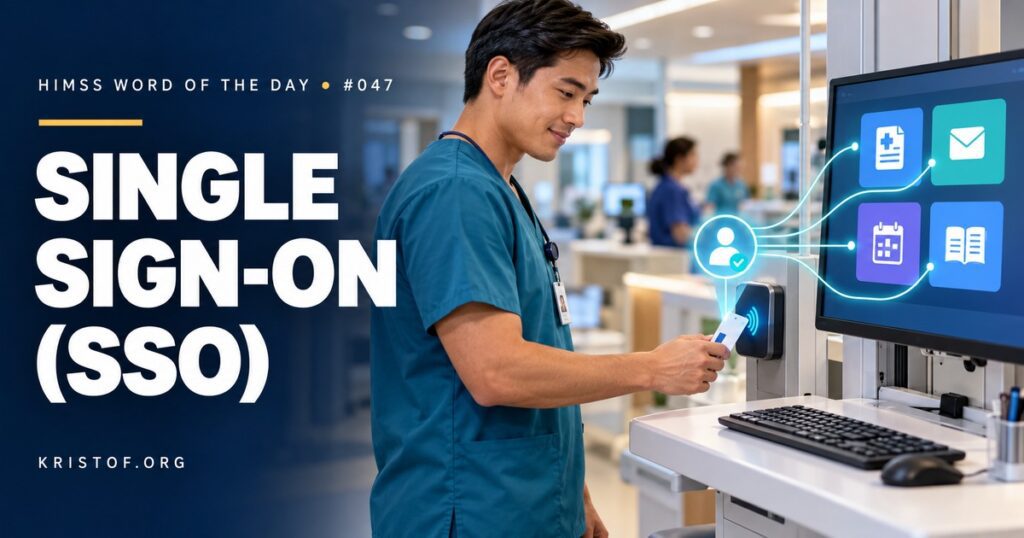
In a hospital, that might mean a nurse taps a badge at a workstation, enters a password or PIN once, and then moves between the EHR, email, the policy library, a scheduling app, and a reference tool without repeated logins.
SSO usually depends on a central identity provider that verifies the user and then vouches for that user to other applications.
| SSO Approach | How It Works | Where It Is Common |
|---|---|---|
| Directory-Based SSO | Logging into the network domain also signs the user into connected internal applications | Windows workstations and internal systems |
| Federated SSO (SAML) | An identity provider sends a signed assertion to a cloud or web application | Cloud apps, vendor portals, learning systems |
| OpenID Connect | A modern identity layer built on OAuth 2.0 that issues identity tokens to applications | Web and mobile apps, patient-facing and clinician apps |
| Enterprise SSO for Legacy Apps | Software stores credentials securely and fills them in automatically | Older applications that cannot support modern standards |
| Badge Tap and Fast User Switching | A proximity badge unlocks or switches sessions on shared workstations | Nursing units, emergency departments, operating rooms |
⚠️ Exam Alert: Authentication proves who the user is; authorization decides what that user may do. SSO reduces how often a user authenticates. Multifactor authentication strengthens how the user authenticates. Zero Trust keeps evaluating access for every request. SSO and Zero Trust can work together when the identity provider continues checking risk behind the scenes.
🌐 Why It Matters: Real-World Healthcare IT Context
Clinicians use many applications, often on shared workstations, under constant interruption. Without SSO, each switch between patients, rooms, and systems can mean another login. Those delays add up over a shift, and they encourage risky workarounds: shared logins, sessions left open, passwords written down, or staff documenting under someone else’s account.
SSO addresses both productivity and security. Fewer passwords mean fewer resets and less temptation to reuse weak passwords. Badge-based login means clinicians can lock and unlock workstations quickly, so sessions are not left open for the next person.
The tradeoff is concentration of risk. If one set of credentials opens everything, stealing that set through phishing becomes far more valuable to an attacker. That is why SSO is usually paired with multifactor authentication, session timeouts, and monitoring for unusual sign-in activity. NIST’s Digital Identity Guidelines, SP 800-63-4, finalized in July 2025, provide a widely used framework for authentication and federation strength.
Some clinical tasks require additional proof even inside an SSO session. Signing electronic prescriptions for controlled substances, for example, requires two-factor authentication under DEA rules, and many organizations require re-authentication for actions such as signing orders or witnessing high-alert medication administration.
An SSO outage can stop work across the organization, so the identity provider must be highly available and included in downtime planning.
Common SSO problems:
- Applications that are not connected to SSO, so users still juggle separate passwords
- Badge readers that fail or are missing from key workstations
- Sessions that time out too aggressively or not at all
- A single identity provider with no tested failover plan
- Account provisioning delays for new hires, students, and agency staff
- Help desk password resets that can be abused by social engineering
Characteristics of a strong SSO program:
- Central identity provider using modern standards such as SAML and OpenID Connect
- Multifactor authentication for remote, privileged, and high-risk access
- Badge tap with fast user switching on shared clinical workstations
- Automated provisioning and deprovisioning tied to human resources records
- Monitoring for impossible travel, repeated failures, and other suspicious sign-ins
- Downtime procedures for identity system outages
🏥 The Nurse’s Perspective: Clinical, Bedside, & Workflow
Login time is one of the most noticeable everyday frictions in nursing, and SSO is one of the most noticeable fixes.
At the Bedside
On a busy unit, a nurse may move between a workstation on wheels, a bedside computer, a medication room, and a nurses’ station many times an hour. With badge tap, the nurse can walk up, tap, and continue where the session left off, then tap again to lock the screen when stepping away. That speed makes it realistic to lock every time instead of leaving a session open.
The badge becomes part of the nurse’s identity. Sharing a badge, or tapping in for someone else, means actions are recorded under the wrong person, which affects the legal record, medication documentation, and privacy audits.
In Clinical Workflow
SSO simplifies moving between clinical and supporting applications, such as reference tools, staffing systems, education platforms, and secure messaging. Some actions still require a password or second factor, such as co-signing a high-alert medication or overriding an alert. Those extra checks are intentional, not a failure of SSO.
When SSO is unavailable, nurses need to know the fallback: manual login with a username and password, or downtime procedures if critical systems are affected. Knowing personal credentials, not just the badge, matters for those moments.
In EHR Implementation (Go-Live Perspective)
During an Epic Go-Live, login problems are often the first support calls of the day. New users may not have completed badge enrollment, an application may not be added to their SSO profile yet, or a password may have expired between training and Go-Live. At-the-elbow support analysts help users through these issues without ever asking for their password, and they route account problems to the access team quickly.
Planning ahead reduces those calls. Enrolling badges during training, testing SSO on every workstation type, and confirming access for students, agency nurses, and float staff before Go-Live day all make the first shift smoother.
🎓 CAHIMS / CPHIMS & HIMSS Perspective
CAHIMS Exam Domain Mapping
SSO appears in identity, security, and usability questions:
| CAHIMS Domain | How SSO Appears |
|---|---|
| Healthcare & Technology Environments | Clinician burden; NIST identity guidelines; DEA two-factor rules for controlled substance prescribing |
| Clinical Informatics | Shared workstation workflows, re-authentication for sensitive actions, documentation integrity |
| Healthcare Information & Systems Management | Identity providers, SAML, OpenID Connect, badge readers, provisioning, availability |
| Management & Leadership | Identity strategy, help desk processes, Go-Live readiness, balancing security and efficiency |
Key Terms to Know Alongside SSO
- Identity Provider (IdP) — the trusted system that authenticates users and vouches for them to other applications
- SAML (Security Assertion Markup Language) — an XML-based standard for exchanging authentication and authorization data between systems
- OpenID Connect — an identity layer built on OAuth 2.0 that lets applications verify a user’s identity
- Multifactor Authentication (MFA) — verifying identity with two or more independent factors
- Provisioning — creating, updating, and removing user accounts and access rights
- Session Timeout — automatic locking or logoff after a period of inactivity
HIMSS Organizational Position
HIMSS addresses identity and access management through its cybersecurity work, including its Healthcare Cybersecurity Community, and through its interest in reducing clinician burden caused by poorly designed technology. Members can find related education and research through the HIMSS Resource Center.
🔗 Explore Further: External References
- NIST — SP 800-63-4, Digital Identity Guidelines https://csrc.nist.gov/pubs/sp/800/63/4/final
- NIST — SP 800-63B, Authentication and Authenticator Management https://pages.nist.gov/800-63-4/sp800-63b.html
- OASIS — Security Assertion Markup Language (SAML) v2.0 https://www.oasis-open.org/standard/saml/
- OpenID Foundation — How OpenID Connect Works https://openid.net/developers/how-connect-works/
- HHS 405(d) Program — Health Industry Cybersecurity Practices https://405d.hhs.gov/
- HIMSS — Healthcare Cybersecurity Community https://www.himss.org/networking/communities/healthcare-cybersecurity/
Term source: HIMSS Dictionary of Health Information and Technology Terms, Acronyms, and Organizations, 6th Edition (2025). All definitions in this series are paraphrased for editorial purposes. Readers are encouraged to consult the primary source for exact language.
Eric Andrew Kristof, RN, CAHIMS is a Healthcare IT professional and HIMSS Arkansas Chapter member based in Hot Springs Village, AR, with hands-on Epic Go-Live experience and a diverse healthcare and IT background. He writes at kristof.org at the intersection of clinical care and healthcare technology.
Leave a Reply