By Eric Andrew Kristof, RN, CAHIMS | Healthcare IT Professional | HIMSS Arkansas Chapter Member
About This Series: The HIMSS Word of the Day is a running blog series drawing from the HIMSS Dictionary of Health Information and Technology Terms, Acronyms, and Organizations, 6th Edition (2025) — the authoritative reference for healthcare IT professionals and the primary study resource for CAHIMS and CPHIMS certification. Each post paraphrases the term in plain language, grounds it in real-world healthcare IT context, and adds a bedside nursing perspective you won’t find in a textbook.
📖 The Term: DICOM (Digital Imaging and Communications in Medicine)
Source: HIMSS Dictionary of Health Information and Technology Terms, Acronyms, and Organizations, 6th Edition (2025)
🔍 Plain-Language Definition
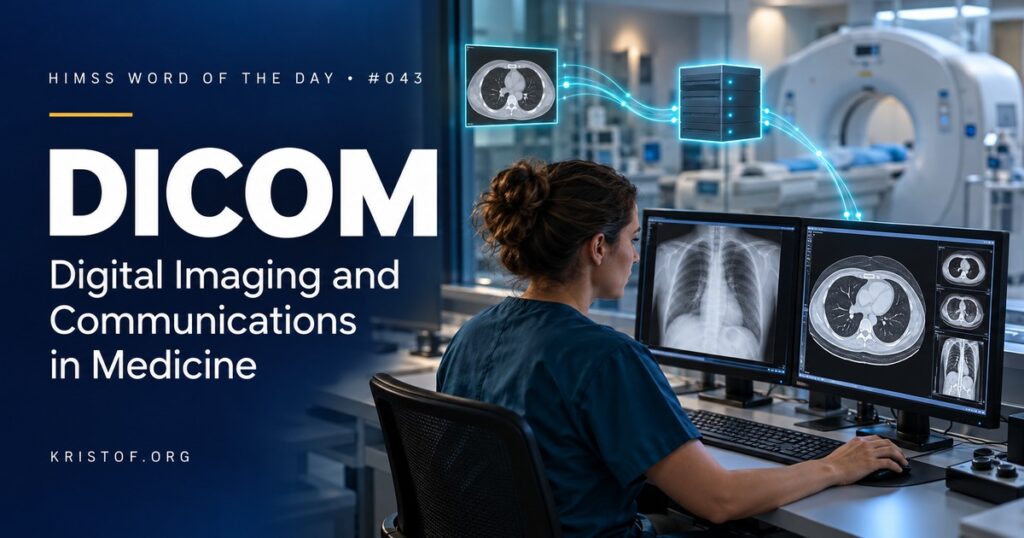
DICOM (Digital Imaging and Communications in Medicine) is the international standard that defines how medical images and their related information are formatted, stored, and exchanged between devices and systems. It is the reason an image captured on one manufacturer’s CT scanner can be stored in another company’s archive and viewed on a third company’s workstation.
The HIMSS Dictionary gives DICOM two meanings. As a standard, it governs the electronic exchange of medical images and associated data, and it rests on carefully defined models of how patients, studies, images, and reports relate to each other. The Dictionary notes that the standard covers object definitions, data structures, a data dictionary, storage media, file formats, network communication, and printing. As an organization, DICOM is an accredited standards development body that created a common protocol for moving images between computer systems. The Dictionary also refers readers to the radiology information system (RIS).
A DICOM object is more than a picture. Each one combines the pixel data with a detailed header describing the patient, the exam, the equipment, and how the image was acquired.
| DICOM Building Block | What It Does | Example |
|---|---|---|
| Information Object Definitions | Define what each type of object contains | A CT image object, an ultrasound object, a structured report |
| Data Elements (Tags) | Store individual pieces of information in the header | Patient name, patient ID, study date, body part, modality |
| Unique Identifiers (UIDs) | Give each study, series, and image a globally unique ID | A Study Instance UID that ties all images in an exam together |
| Services | Define how systems store, find, and retrieve objects | Store images in PACS, query for prior studies, retrieve a study |
| Modality Worklist | Sends scheduled exam and patient details to the scanner | The technologist selects the patient instead of typing |
| DICOMweb | Provides web-based (RESTful) services for imaging | A browser viewer retrieving images from an archive |
⚠️ Exam Alert: DICOM is the standard for images and imaging workflow. HL7 standards typically handle orders, results, and reports between the EHR and departmental systems. PACS is the system that stores and displays DICOM images. IHE publishes integration profiles that explain how DICOM and HL7 should be combined for real workflows. If a question asks which standard carries the image itself, the answer is DICOM.
🌐 Why It Matters: Real-World Healthcare IT Context
Medical imaging generates some of the largest data volumes in healthcare, and nearly all of it moves as DICOM. Scanners send images to PACS, PACS sends prior studies to reading workstations, archives replicate studies for disaster recovery, and outside facilities exchange images when patients transfer. DICOM makes all of those exchanges possible across vendors.
DICOM has also expanded well beyond radiology. Cardiology, dentistry, ophthalmology, endoscopy, and digital pathology all use DICOM objects, and many organizations now apply it to clinical photography as part of an enterprise imaging strategy.
The standard keeps evolving. DICOMweb defines web services for querying, retrieving, and storing images using modern web technology. That makes it easier to build zero-footprint viewers, connect cloud archives, feed images to artificial intelligence tools, and link imaging to FHIR-based applications.
Because the DICOM header contains identifying information, privacy is a constant concern. Images used for research or teaching must be de-identified carefully, including text that may be burned into the pixels themselves. Imaging servers exposed to the internet without proper security have also been a recurring source of data exposure, which makes imaging part of every cybersecurity program.
Common DICOM problems:
- Exams performed without a worklist entry, leading to typed or mismatched patient details
- Images filed to the wrong patient or the wrong study
- Inconsistent use of optional header fields between vendors
- Outside images on discs or portals that are hard to import and reconcile
- Incomplete de-identification when images are shared for research
- Unpatched imaging devices and archives on poorly segmented networks
Characteristics of strong DICOM practice:
- Orders and modality worklists that drive every exam
- Clear procedures for correcting misidentified studies
- Conformance statements reviewed before purchasing new equipment
- Standards-based image sharing between facilities
- Tested de-identification for secondary use
- Imaging devices included in vulnerability management and segmentation plans
🏥 The Nurse’s Perspective: Clinical, Bedside, & Workflow
Nurses do not configure DICOM, but their actions affect whether images end up attached to the right patient.
At the Bedside
Patient identification before imaging is the first safeguard for DICOM data. When a nurse confirms identity and the correct order before a portable x-ray, an ultrasound, or a transfer to radiology, the modality worklist can apply the right patient details to every image. A wrong-patient order produces images that look perfect but carry the wrong label.
Nurses increasingly capture images themselves. Wound photos, skin assessments, and point-of-care ultrasound may be stored as DICOM objects through approved mobile apps or devices that link the image to the correct patient and encounter. Using those approved tools, instead of personal phones, keeps images in the record and out of camera rolls.
In Clinical Workflow
Transfers are a frequent imaging pain point. Patients arriving from another hospital may bring images on a disc or through an image-sharing service. Nurses often help make sure those images are sent to imaging staff for import so the receiving team does not repeat a scan unnecessarily.
Nurses also act on imaging results. When a radiologist reports a critical finding, the communication depends on the study being correctly linked to the patient and order from the start.
In EHR Implementation (Go-Live Perspective)
During an Epic Go-Live, imaging integration depends on DICOM configuration that users never see: device identifiers, worklist settings, and routing rules between scanners, PACS, and archives. When an exam does not appear in the worklist or images do not show up in the chart, the cause is often an order mapping or worklist setting rather than a user error.
At-the-elbow support analysts help by gathering the details imaging and integration teams need, such as the order, the accession number, the time of the exam, and the device used, so the problem can be traced quickly.
🎓 CAHIMS / CPHIMS & HIMSS Perspective
CAHIMS Exam Domain Mapping
DICOM appears in standards and imaging questions across the exam:
| CAHIMS Domain | How DICOM Appears |
|---|---|
| Healthcare & Technology Environments | Standards development organizations; imaging in the care continuum; enterprise imaging trends |
| Clinical Informatics | Imaging orders and results; clinical photography; critical result communication |
| Healthcare Information & Systems Management | DICOM objects and services, worklists, DICOMweb, PACS and VNA integration, de-identification |
| Management & Leadership | Imaging strategy, vendor conformance, image sharing agreements, imaging cybersecurity |
Key Terms to Know Alongside DICOM
- PACS (Picture Archiving and Communication System) — the system that stores, retrieves, and displays medical images
- RIS (Radiology Information System) — the system that manages radiology scheduling, tracking, and reporting
- Modality Worklist — a DICOM service that sends scheduled exam and patient details to imaging equipment
- DICOMweb — web-based DICOM services for querying, retrieving, and storing images
- Conformance Statement — a vendor document describing which DICOM features a product supports
- Accession Number — the identifier linking an imaging order, its images, and its report
HIMSS Organizational Position
HIMSS supports imaging standards through the HIMSS-SIIM Enterprise Imaging Community, a collaboration with the Society for Imaging Informatics in Medicine that helps organizations manage images across departments using standards such as DICOM. Members can find related education and research through the HIMSS Resource Center.
🔗 Explore Further: External References
- DICOM Standard — About DICOM https://www.dicomstandard.org/about
- DICOM Standard — Current Edition https://www.dicomstandard.org/current
- DICOM Standard — DICOMweb https://www.dicomstandard.org/using/dicomweb
- IHE International — Radiology Domain https://www.ihe.net/ihe_domains/radiology/
- Society for Imaging Informatics in Medicine (SIIM) https://siim.org/
- HIMSS — HIMSS-SIIM Enterprise Imaging Community https://www.himss.org/networking/communities/himss-siim-enterprise-imaging/
Term source: HIMSS Dictionary of Health Information and Technology Terms, Acronyms, and Organizations, 6th Edition (2025). All definitions in this series are paraphrased for editorial purposes. Readers are encouraged to consult the primary source for exact language.
Eric Andrew Kristof, RN, CAHIMS is a Healthcare IT professional and HIMSS Arkansas Chapter member based in Hot Springs Village, AR, with hands-on Epic Go-Live experience and a diverse healthcare and IT background. He writes at kristof.org at the intersection of clinical care and healthcare technology.
Leave a Reply